
MIDI Troubles on Windows 11 with MIDI 2.0 update
Did you experience issues with MIDI controllers and Resolume since the latest Windows updates? Then the chances are high that this is related to the latest updates where Microsoft rolls out their new MIDI 2.0 implementation for Windows 11 users.
While this comes with some cool new features like multiclient support and internal loopback, it unfortunately causes some troubles as well.
Before troubleshooting, we'd first recommend checking out if you actually have that update installed, Microsoft provides a small tool to check that for you:
Once confirmed that you have the new MIDI services on your machine but MIDI isn't fully working for you as expected, you can try these steps:
Update Driver for your MIDI Controller
The second option is to not completely revert that Windows update but to change only the MIDI driver for your controller via device manager, here is how to do that:
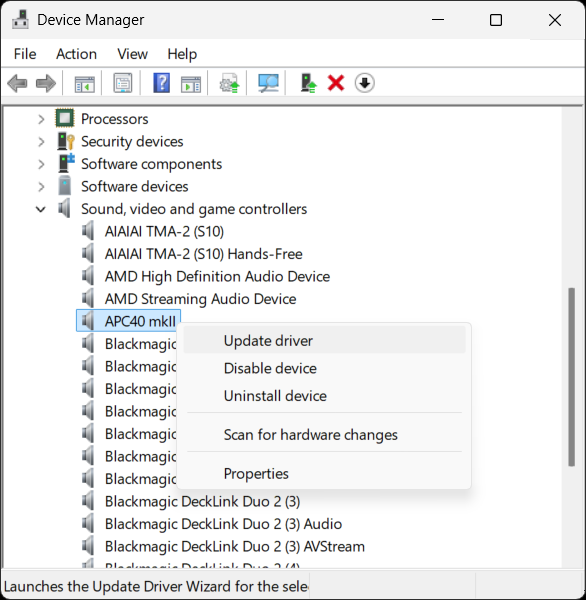
Go to Device Manager > Sound, video and game controllers and find your MIDI controller. Right click and select Update Driver.
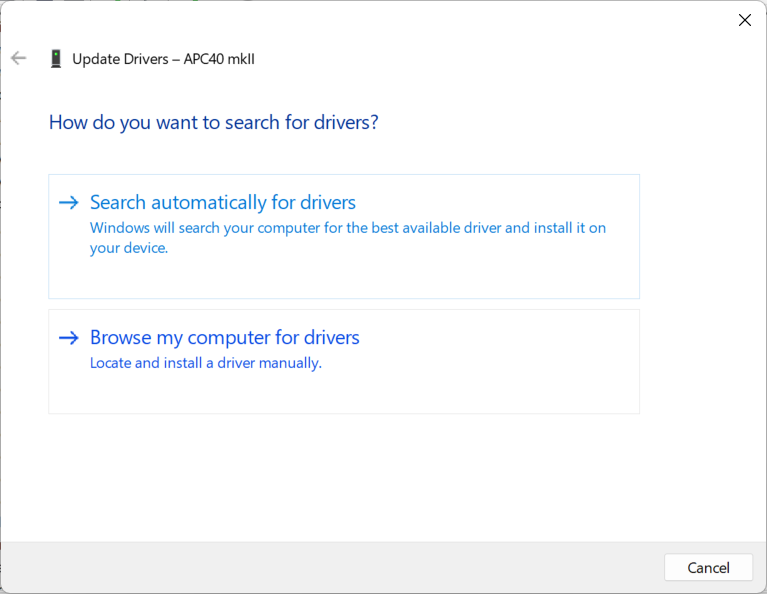
Next select Browse my computer for drivers.
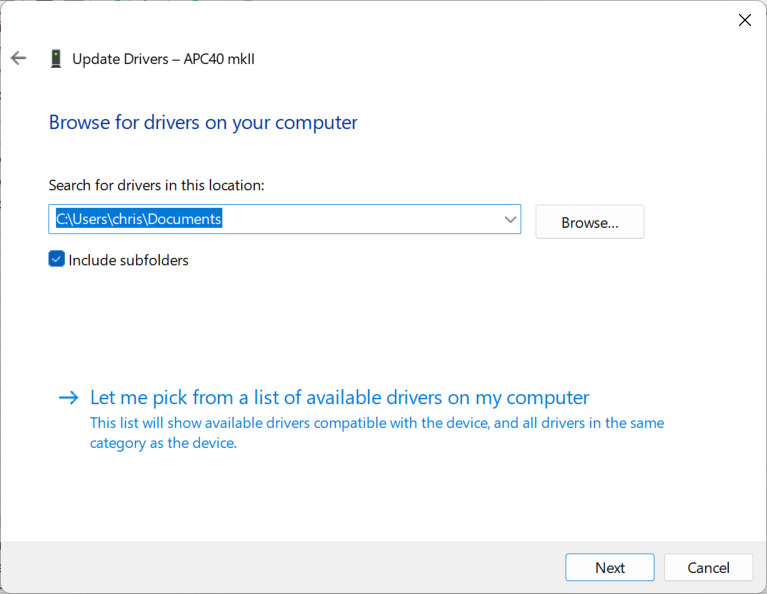
Choose Let me pick from a list of available drivers on my computer.
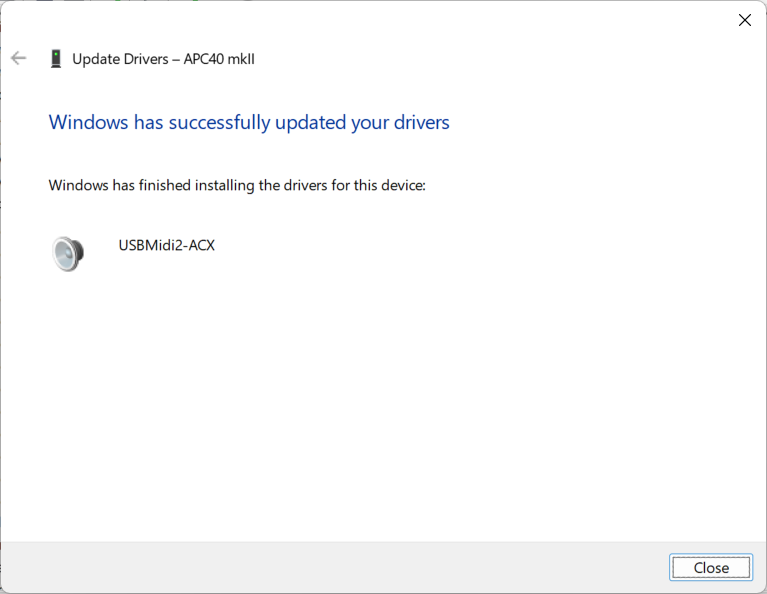
Select the USBMidi2-ACX driver and click next.
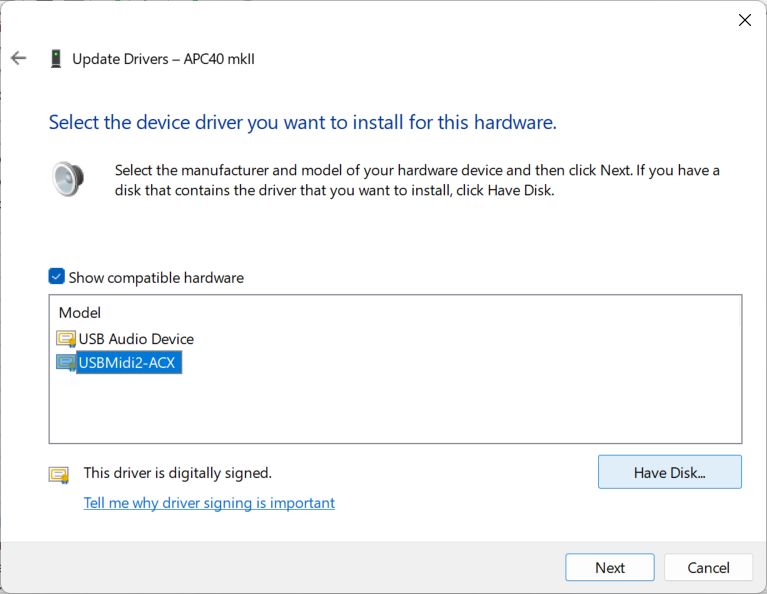
Now unplug and re-plug your MIDI controller, launch Resolume and check if it acts as expected.