
New Footage Releases - Attack of the Plexified Robot Vectors
These three releases are extra special! Not only do we have two new artists who are sharing their skills with you, we also have the highly anticipated second release by best-seller Luminator. Apparently good things come in twos.
Luminator gets on point, plexus style.
http://www.resolume.com/footage/lupoint
Ghosteam drops some logic, robo style.
http://www.resolume.com/footage/robologic
And STV in Motion takes the center, vector style.
http://www.resolume.com/footage/vectorius
Luminator gets on point, plexus style.
http://www.resolume.com/footage/lupoint
Ghosteam drops some logic, robo style.
http://www.resolume.com/footage/robologic
And STV in Motion takes the center, vector style.
http://www.resolume.com/footage/vectorius
Resolume Blog
This blog is about Resolume, VJ-ing and the inspiring things the Resolume users make. Do you have something interesting to show the community? Send in your work!
Highlights
Search
New Workshop Sessions Coming This November 2013
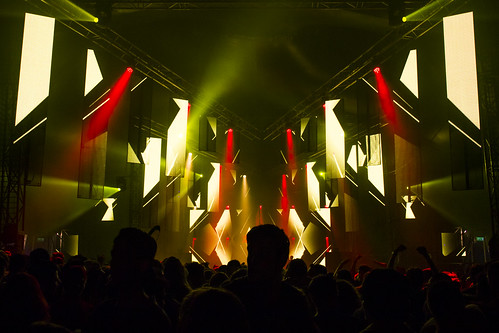
KBK Visuals at Soenda Festival 2013, Komodo Stage 18-05-2013. Photo by Jessica Dreu.
Big stage envy? Don't get mad, get educated!
[fold][/fold]
Getting Started Resolume Workshop
5 hours. From zero to hero. No experience required.
This workshop teaches you all you need to know to start VJ'ing with Resolume. We go over what does what in the interface, and show you the best ways to use it. Starting with the basics on how to load and trigger clips, you'll be compositing multiple videos, applying realtime effects and using live cameras in no time. First hand knowledge from the developers themselves will make sure you'll pick up a few things even the pros don't know about. The focus will be on practical knowledge and skills, and we'll show you how to best prepare your footage, how to connect to a projector, and before the day is over, you'll be VJ'ing on the big screen yourself!
Monday 4 November 2013
€ 150.00 Euro
Advanced Resolume Workshop
5 hours. Basic experience required.
This is for everyone who already has some experience with VJ'ing in general, but wants to get to the nitty gritty of the many options Resolume has to offer. Sync clips to the BPM or have effects pop to the music. Use Cue Points and the Beatloopr to remix your footage on the fly. Streamline your signal flow and get your compositions and decks organized. We'll go over every nook and cranny, and leave no stone unturned. At the end of the day, not only will Resolume have no more secrets to you, you'll also have the skills to take your visual sets to the next level.
Tuesday 5 November 2013
€ 200.00 Euro
Live performance with Resolume
5 hours. Basic experience required.
Okay. So you know the basics. You know which buttons to push and how to control effects in realtime. But when do you push that button? And which effects do you apply where? And how to map that shiny new midi controller or iPad? This workshop will show you how you can setup Resolume so that you can quickly improvise to changes in the music. Allowing you to focus on being creative with your content, instead of trying to remember which button does what.
Wednesday 6 November 2013
€ 200.00 Euro
Projection Mapping with Resolume Arena Workshop
5 hours. Advanced experience required.
Warning, when this workshop is over, you'll never again be able to look at the objects around you without trying to warp video on them in your head. Projection mapping has been the buzz word in the land of live visuals for a while now, and after this workshop you can get in on the hype too. We'll go over the basic tools you have at your disposal when mapping with Resolume. Using the powerful warping features of Arena 4.1, you can tackle any surface. And if one projector wasn't enough, we'll show you how to extend your maps across multiple projectors.
Thursday 7 November 2013
€ 200.00 Euro
Sign up at https://resolume.com/shop/workshops.php
Artist profile: Peruggia
A while back we posted a video of some banging AV drumming wickedness, rocking an MPC and a projector. We loved how it shows the use of Resolume as a real visual instrument, which needs practice and time to learn how to play. Also it rocked our socks off.
[fold][/fold]
Intrigued by both the technique and the Botch sample at the end, we asked Gidon Schocken, the man behind Peruggia, to say a few words about himself, his projects and stuff in general.
Q: Say a few words about yourself and your projects.
A: When I was 16 I started up a rock/metal band with a few friends. We did quite well, but had to stop performing when most of us were drafted to the Israeli army. After being discharged I studied in a music academy and worked as a VJ. I was involved in numerous projects varying from performing as a solo folk artist, creating compositions for theater, playing guitar in a noise/rock band and so on. As I was pursuing all these activities I always enjoyed researching and experimenting with the "visual" side of things. For example, in the noise/rock band, I strapped a webcam to my guitar which filmed the audience. The images were augmented using Resolume's audio input, and the output was projected on a large screen behind the band.
At some point I began working solo. A sampler such as the MPC combined with Resolume seemed to be the perfect combination. The project I'm currently working on is called "Peruggia". It is named after Vincenzo Peruggia, the famous art thief who stole the Mona Lisa in 1911. All the samples are played live and feature some of my favorite artists such as Simian Mobile Disco, NIN, Botch, Bach, NosajThing, The Gaslamp Killer, The Prodigy, Helms Alle, Korn, James Blake, Bjork, Trifonic, John Frusciante, Verdi, Deftones, Dice Raw, Sage Francis, Lorn, Service Lab, Yud Kei, Dilinger Escape Plan, Noisia, Akimbo, Broken Note and many more. The project is still evolving and I'm presently working on my first performance.
Q: Why did you choose Resolume for the visuals and MPC2500 for the music?
A: In software and in hardware I try to look not for what yields the best result quality-wise, but rather what gets me faster and easier to the result I'm imagining. I could have used a Maschine and Module8 and probably gotten similar results, but it would have taken me much longer. Resolume's UI has always been clear and straightforward to me; I can imagine what ever I want and get there within just a few steps, and if I don't get there it still comes out pretty cool.
Q: What is your technical setup?
A: The MPC2500 is connected to Resolume via midi through a Motu Ultralite. I also have an LPD8 connected via USB that I use to switch between compositions in Resolume. The MPC has four different pad banks, each holding up to 16 different samples. Each time I move forward a bank I tap the LPD8 to load the next composition. I've encountered several problems during the process. For example, the performance that I've created is structured like a linear sequence of samples that I remember by heart. This forces me to move forward through the MPC banks, and, in parallel, through Resolume's compositions. Now, if I miss a sample in the MPC which is supposed to trigger a mute of a feedback in Resolume, this particular feedback will keep running until the end of the composition. So, practice, practice practice...
Q: What process and creative techniques did you use?
A: I've always been fascinated with feedbacks and the endless possibilities they offer, and in Resolume you can play with feedbacks for days on end. One of the goals that I set for myself in my project was creating all the visuals using Resolume's internal sources only (feedbacks, solids, effects etc. -- I reckoned that if I "borrow" the music from other artists at least I'll create the visuals myself ...). I developed a method that I call the "back in time technique" which I find both useful and simple.
Q: Can you describe this technique?
A: I go through the following routine:
1. Take a feedback source and put it in a layer
2. Take a solid color and put it above the feedback
3. Change the trigger style of the solid to piano
4. Map the solid to a keyboard key or midi controller
5. Change the scale of the feedback to 99%
6. The more you reduce the feedback scale, the faster the solid will go "back in time".
Check out more at https://www.facebook.com/PeruggiaLive
[fold][/fold]
Intrigued by both the technique and the Botch sample at the end, we asked Gidon Schocken, the man behind Peruggia, to say a few words about himself, his projects and stuff in general.
Q: Say a few words about yourself and your projects.
A: When I was 16 I started up a rock/metal band with a few friends. We did quite well, but had to stop performing when most of us were drafted to the Israeli army. After being discharged I studied in a music academy and worked as a VJ. I was involved in numerous projects varying from performing as a solo folk artist, creating compositions for theater, playing guitar in a noise/rock band and so on. As I was pursuing all these activities I always enjoyed researching and experimenting with the "visual" side of things. For example, in the noise/rock band, I strapped a webcam to my guitar which filmed the audience. The images were augmented using Resolume's audio input, and the output was projected on a large screen behind the band.
At some point I began working solo. A sampler such as the MPC combined with Resolume seemed to be the perfect combination. The project I'm currently working on is called "Peruggia". It is named after Vincenzo Peruggia, the famous art thief who stole the Mona Lisa in 1911. All the samples are played live and feature some of my favorite artists such as Simian Mobile Disco, NIN, Botch, Bach, NosajThing, The Gaslamp Killer, The Prodigy, Helms Alle, Korn, James Blake, Bjork, Trifonic, John Frusciante, Verdi, Deftones, Dice Raw, Sage Francis, Lorn, Service Lab, Yud Kei, Dilinger Escape Plan, Noisia, Akimbo, Broken Note and many more. The project is still evolving and I'm presently working on my first performance.
Q: Why did you choose Resolume for the visuals and MPC2500 for the music?
A: In software and in hardware I try to look not for what yields the best result quality-wise, but rather what gets me faster and easier to the result I'm imagining. I could have used a Maschine and Module8 and probably gotten similar results, but it would have taken me much longer. Resolume's UI has always been clear and straightforward to me; I can imagine what ever I want and get there within just a few steps, and if I don't get there it still comes out pretty cool.
Q: What is your technical setup?
A: The MPC2500 is connected to Resolume via midi through a Motu Ultralite. I also have an LPD8 connected via USB that I use to switch between compositions in Resolume. The MPC has four different pad banks, each holding up to 16 different samples. Each time I move forward a bank I tap the LPD8 to load the next composition. I've encountered several problems during the process. For example, the performance that I've created is structured like a linear sequence of samples that I remember by heart. This forces me to move forward through the MPC banks, and, in parallel, through Resolume's compositions. Now, if I miss a sample in the MPC which is supposed to trigger a mute of a feedback in Resolume, this particular feedback will keep running until the end of the composition. So, practice, practice practice...
Q: What process and creative techniques did you use?
A: I've always been fascinated with feedbacks and the endless possibilities they offer, and in Resolume you can play with feedbacks for days on end. One of the goals that I set for myself in my project was creating all the visuals using Resolume's internal sources only (feedbacks, solids, effects etc. -- I reckoned that if I "borrow" the music from other artists at least I'll create the visuals myself ...). I developed a method that I call the "back in time technique" which I find both useful and simple.
Q: Can you describe this technique?
A: I go through the following routine:
1. Take a feedback source and put it in a layer
2. Take a solid color and put it above the feedback
3. Change the trigger style of the solid to piano
4. Map the solid to a keyboard key or midi controller
5. Change the scale of the feedback to 99%
6. The more you reduce the feedback scale, the faster the solid will go "back in time".
Check out more at https://www.facebook.com/PeruggiaLive
Review: Hands On with the Spark D-Fuser
By now we all have figured out that analog video connections are not the way forward. Being limited to SD resolutions is just one thing. Those of you that ever tried to do a pixel mapping on a LED wall via a scan converter and an Edirol V8, you will know that pixel perfect digital connections can be better than free beer and pizza under a hot shower.
Trouble was that up until last year, there was no hardware mixer available that could mix between two digital sources. None that a normal person could afford anyway.
[fold][/fold]
If you've been keeping your finger on the VJ pulse as close as we do, you couldn't have missed the arrival of the Spark D-Fuser. However, we appreciate the fact that some of you are busy touring or designing wicked content. Or even may actually have a social life. Either way, you could have missed it getting that elusive 'Buy Now' button earlier this year.
Or it could be that you've seen the button and the hype, but are wondering if it's really all that it's cranked up to be. It could be that you want to know more about this mysterious magic box that will solve all your problems, before you part with your hard-earned VJ cash and actually press that 'Buy Now' button.
Either way, we've had the pleasure of working with that little bad boy on various occasions, as well as seen it in use by quite a few touring VJs. So we figured it was high time to give a first hand experience of what the D-Fuser actually defuses.
What it is
The Spark D-Fuser is basically a remote control for the TV-One 1T-C2-750 Scaler. That sounds a bit 'un-glorifying', but if you ever had the displeasure of working with the TV-One bare bones, you know that it is in dire need of a better user experience. This is what Toby Spark thought as well, and it became his ten year odyssey to create exactly this. Braving sirens, cyclopses and sleepy toms, this finally resulted in the Spark D-Fuser.
Put simply, it allows you to connect two DVI sources, fade between them with a crossfader, and send the resulting mix as one fresh, crispy DVI signal. In the words of Toby himself: "Boom…"
Looks good on paper. But let's get to the meat of this burger, how does it actually perform?
Look and feel
The overall look of the D-Fuser is very smooth. It's black and yellow color scheme is pleasing to the eye. We know it doesn't count for anything when it comes to how well it works, but hey, who doesn't like to look good in pictures?
Toby kept the actual product to a minimum. The D-Fuser itself is a small separate box which connects to the TV-One scaler via an included RS-232 cable. This means that the total weight of the D-Fuser is less than a kilo, and fits snugly in your backpack. Anyone who has ever played the game of "how-much-extra-weight-can-I-fit-in-my-hand-luggage-before-they-kick-me-off-the-plane" can appreciate this. So can everybody that ever rode their bike to a gig with two laptops and a projector balanced on their baggage rack.
The choice to have the TV-One box separate however, results in 2 extra cables on the table, and on an already crowded space, this can get messy real quick. Also the control panel is still exposed, which can result in accidentally activating something on the processor during a changeover. Trust me that that results in hilarious panic all around.
On the up side, the separation does mean that if you do need to dive into the TV-One menu itself, it's easily accessible. Also it keeps the clutter of connection cables out of sight behind the laptops, where they belong. The controller is what matters, and this can fit easily on any table.
The controller itself feels a bit plastic, and does not really feel meant for quick mixing. For VJ use, on an already messy table, it can be hard to quickly find the right knob to fade out when you missed a musical cue. Any attempt to get some rhythm going with the crossfader results in the device making laps around the table.
But perhaps that's an old-fashioned way to approach a mixer. During the days of the V4, we used the mixer as an additional instrument. Computers were struggling to keep up with 3 layers as it was, so doing some quick invert flashes or cross cutting on the mixer improved the overall performance in ways not possible in software.
The Spark D-Fuser is a new mixer for a new age. Compositing and layering are done in software, where we have blend modes and effects that actually look good. We're capable of running the entire show of one laptop with 8 layers of 1080p steamrolling along at 50 fps. The actual performance happens in the software and on the midi controller. The mixer just needs to provide a stable output for that performance.
Instead of being a 'anything-goes-VJ-mixer', the D-Fuser is meant for people who take their art seriously. It feels at home with a touring visual artist where the intended use is a smooth fade from A to B for the next artist, or a quick cut to the backup laptop in case of emergency.
Setup
This is where the D-Fuser really shines. It's very clear that Toby spent quite a few nights with his baby, coming across every problem and thinking of a good way to fix it. Setup is very intuitive, and once you get the hang of the onboard menu screen, you can setup everything you want without reading the manual. Which is good, because none is included. Extra info can be found online however.
The onboard menu itself is very well designed. It gives direct feedback on the important bits, and has an easy to navigate menu structure for the harder bits.
The TV-One does not have a preview output, which can result in it being a bit of a black box. The D-Fuser solves this issue by sending a Spark logo as long as no inputs are found. This is also reflected in the onboard menu, where the word Logo is displayed. This is actually very useful, because you can be sure that at first start up, a logo is always shown on the output. If this is not the case, you know the problem lies somewhere in the signal flow behind the D-Fuser.
The moment an input is detected, it changes it's status to Live. When said input is lost, the output is frozen. This makes it a very useful piece of kit for setting up before showtime. Once the signal is correctly detected and set up, you can take your laptop back to the hotel while leaving the D-Fuser running as an active input. When the time comes to plug back in, everything is handled smoothly without loss of signal.
The D-Fuser, or rather the TV-One, has one big drawback when it comes to connections: when for some reason the input is not recognized correctly, you're out of luck and have to figure it out by trial and error. No additional info as to why you're not getting a signal is to be had, which can be extremely frustrating when setting up in a stressful environment. This is purely a limitation of the TV-One, and if you really can't live with this, you're going to have to spring for a V800.
Choosing the correct output resolution is quick and painless, and has support for the most common digital resolutions, as well as dual head and triple head resolutions. Once the output resolution is changed, the inputs are scaled automatically to this new resolution, which results in quiet sighs of relief when struggling to get things set up correctly with the promoter breathing down your neck. For fine tuning, there are additional options for fit, fill and 1:1.
In case you're completely lost, there's also a hard reset option, that walks you through the key presses needed to reset the TV-One itself. It's little things like this that make the D-Fuser feel very user friendly and thought out.
Features
The D-Fuser has the basics down pat: it has a crossfader, cut buttons and a fade to black. As a testament to the work that Toby put into this, he managed to talk the TV-One people into making a custom additive blend mode, which allows the D-Fuser to mix without a dip in the brightness when the crossfader is in the middle. It's awesome to see a company like Corio actually take the VJ industry seriously in this way.
It also supports luma and chroma keying. I'm actually quite surprised by the luma keyer. It can pull an especially clean key when using alpha channels on the source laptops.
After this it pretty much ends for the D-Fuser. Personally, I think it's a shame Toby hasn't come up with an elegant way to control the scaling functions of the TV-One. For most users, the Fit/Fill/1:1 scaling options on the D-Fuser cover 99% of the bases when it comes to scaling issues. It's a very elegant and quick solution to a process that is nail pullingly gruesome to fix on the TV-One itself.
But if you regularly come across weird LED processors or use uncommon inputs like an iPad, the scaler can really come through. The TV-One is capable of pixel level positioning, and allow you to adjust even a single misaligned pixel. Of course, these functions can still be accessed via the front panel, but they are horrible to use.
Then again, you can also get lost in the scaling options. More menu options, buttons and dials do not necessarily make the product better or easier to use. All in all the features of the D-Fuser are minimal, but they do what they need to do, in an intuitive and easy to understand way.
Extras
A very powerful feature is the support for two-way OSC communication. This means that the device can both send OSC messages and can be controlled by them. The implementation is relatively straightforward. Both the fade to black and crossfader output their values and can be accessed using fixed addresses.
The D-Fuser has the additional benefit of being DMX capable for either input or output, so you can fade the house lights with it. Perhaps even more useful, it can be used in a cue controlled theatre setup to have control over projector brightness levels from the lighting desk. This makes the D-Fuser a very powerful tool outside of the VJ circuit as well.
Overall
If you're looking for a relatively cheap way to mix two laptops while on tour or just at your local residency, the D-Fuser is the way to go. It has plug-and-play appeal and fits in your backpack.
Functionality wise the D-Fuser doesn't offer much in terms of customization unless you want to get deep and dirty by editing .ini files and uploading to the device, which can be a bit daunting to most users and impossible to improvise on the spot. As a tool to work with many changeovers or guest VJs during a long festival day, the TV-One has too many quirks. Instead, the D-Fuser is mostly meant as an addition to an already existing visual setup. Once you get your kit working correctly with it, it will keep working, reliably and solidly.
In the end the D-Fuser is being marketed as a DVI mixer. In that it does what it says on the tin, which is a good thing. Toby really spent a lot of time on it, which he used to narrow down the TV-One functions to what a user would actually need, and what they shouldn't be bothered with. You can argue about some of the choices he made, but the result is an easy to use and intuitive product, that does what it needs to do.
In this, the D-Fuser is very much like Resolume, where we sometimes have to choose usability over feature. Believe us when we say this is often a much harder task than actually writing the code.
In the end, we can do nothing but applaud Toby for the crazy amount of hours, blood, sweat and tears he put into giving us this very useful tool. It's this DIY spirit that makes the VJ community what it is.
Toby, here's to you! You rock because you rule. Now go press that button, everyone.
http://sparklive.net/dfuser/
Trouble was that up until last year, there was no hardware mixer available that could mix between two digital sources. None that a normal person could afford anyway.
[fold][/fold]
If you've been keeping your finger on the VJ pulse as close as we do, you couldn't have missed the arrival of the Spark D-Fuser. However, we appreciate the fact that some of you are busy touring or designing wicked content. Or even may actually have a social life. Either way, you could have missed it getting that elusive 'Buy Now' button earlier this year.
Or it could be that you've seen the button and the hype, but are wondering if it's really all that it's cranked up to be. It could be that you want to know more about this mysterious magic box that will solve all your problems, before you part with your hard-earned VJ cash and actually press that 'Buy Now' button.
Either way, we've had the pleasure of working with that little bad boy on various occasions, as well as seen it in use by quite a few touring VJs. So we figured it was high time to give a first hand experience of what the D-Fuser actually defuses.
What it is
The Spark D-Fuser is basically a remote control for the TV-One 1T-C2-750 Scaler. That sounds a bit 'un-glorifying', but if you ever had the displeasure of working with the TV-One bare bones, you know that it is in dire need of a better user experience. This is what Toby Spark thought as well, and it became his ten year odyssey to create exactly this. Braving sirens, cyclopses and sleepy toms, this finally resulted in the Spark D-Fuser.
Put simply, it allows you to connect two DVI sources, fade between them with a crossfader, and send the resulting mix as one fresh, crispy DVI signal. In the words of Toby himself: "Boom…"
Looks good on paper. But let's get to the meat of this burger, how does it actually perform?
Look and feel
The overall look of the D-Fuser is very smooth. It's black and yellow color scheme is pleasing to the eye. We know it doesn't count for anything when it comes to how well it works, but hey, who doesn't like to look good in pictures?
Toby kept the actual product to a minimum. The D-Fuser itself is a small separate box which connects to the TV-One scaler via an included RS-232 cable. This means that the total weight of the D-Fuser is less than a kilo, and fits snugly in your backpack. Anyone who has ever played the game of "how-much-extra-weight-can-I-fit-in-my-hand-luggage-before-they-kick-me-off-the-plane" can appreciate this. So can everybody that ever rode their bike to a gig with two laptops and a projector balanced on their baggage rack.
The choice to have the TV-One box separate however, results in 2 extra cables on the table, and on an already crowded space, this can get messy real quick. Also the control panel is still exposed, which can result in accidentally activating something on the processor during a changeover. Trust me that that results in hilarious panic all around.
On the up side, the separation does mean that if you do need to dive into the TV-One menu itself, it's easily accessible. Also it keeps the clutter of connection cables out of sight behind the laptops, where they belong. The controller is what matters, and this can fit easily on any table.
The controller itself feels a bit plastic, and does not really feel meant for quick mixing. For VJ use, on an already messy table, it can be hard to quickly find the right knob to fade out when you missed a musical cue. Any attempt to get some rhythm going with the crossfader results in the device making laps around the table.
But perhaps that's an old-fashioned way to approach a mixer. During the days of the V4, we used the mixer as an additional instrument. Computers were struggling to keep up with 3 layers as it was, so doing some quick invert flashes or cross cutting on the mixer improved the overall performance in ways not possible in software.
The Spark D-Fuser is a new mixer for a new age. Compositing and layering are done in software, where we have blend modes and effects that actually look good. We're capable of running the entire show of one laptop with 8 layers of 1080p steamrolling along at 50 fps. The actual performance happens in the software and on the midi controller. The mixer just needs to provide a stable output for that performance.
Instead of being a 'anything-goes-VJ-mixer', the D-Fuser is meant for people who take their art seriously. It feels at home with a touring visual artist where the intended use is a smooth fade from A to B for the next artist, or a quick cut to the backup laptop in case of emergency.
Setup
This is where the D-Fuser really shines. It's very clear that Toby spent quite a few nights with his baby, coming across every problem and thinking of a good way to fix it. Setup is very intuitive, and once you get the hang of the onboard menu screen, you can setup everything you want without reading the manual. Which is good, because none is included. Extra info can be found online however.
The onboard menu itself is very well designed. It gives direct feedback on the important bits, and has an easy to navigate menu structure for the harder bits.
The TV-One does not have a preview output, which can result in it being a bit of a black box. The D-Fuser solves this issue by sending a Spark logo as long as no inputs are found. This is also reflected in the onboard menu, where the word Logo is displayed. This is actually very useful, because you can be sure that at first start up, a logo is always shown on the output. If this is not the case, you know the problem lies somewhere in the signal flow behind the D-Fuser.
The moment an input is detected, it changes it's status to Live. When said input is lost, the output is frozen. This makes it a very useful piece of kit for setting up before showtime. Once the signal is correctly detected and set up, you can take your laptop back to the hotel while leaving the D-Fuser running as an active input. When the time comes to plug back in, everything is handled smoothly without loss of signal.
The D-Fuser, or rather the TV-One, has one big drawback when it comes to connections: when for some reason the input is not recognized correctly, you're out of luck and have to figure it out by trial and error. No additional info as to why you're not getting a signal is to be had, which can be extremely frustrating when setting up in a stressful environment. This is purely a limitation of the TV-One, and if you really can't live with this, you're going to have to spring for a V800.
Choosing the correct output resolution is quick and painless, and has support for the most common digital resolutions, as well as dual head and triple head resolutions. Once the output resolution is changed, the inputs are scaled automatically to this new resolution, which results in quiet sighs of relief when struggling to get things set up correctly with the promoter breathing down your neck. For fine tuning, there are additional options for fit, fill and 1:1.
In case you're completely lost, there's also a hard reset option, that walks you through the key presses needed to reset the TV-One itself. It's little things like this that make the D-Fuser feel very user friendly and thought out.
Features
The D-Fuser has the basics down pat: it has a crossfader, cut buttons and a fade to black. As a testament to the work that Toby put into this, he managed to talk the TV-One people into making a custom additive blend mode, which allows the D-Fuser to mix without a dip in the brightness when the crossfader is in the middle. It's awesome to see a company like Corio actually take the VJ industry seriously in this way.
It also supports luma and chroma keying. I'm actually quite surprised by the luma keyer. It can pull an especially clean key when using alpha channels on the source laptops.
After this it pretty much ends for the D-Fuser. Personally, I think it's a shame Toby hasn't come up with an elegant way to control the scaling functions of the TV-One. For most users, the Fit/Fill/1:1 scaling options on the D-Fuser cover 99% of the bases when it comes to scaling issues. It's a very elegant and quick solution to a process that is nail pullingly gruesome to fix on the TV-One itself.
But if you regularly come across weird LED processors or use uncommon inputs like an iPad, the scaler can really come through. The TV-One is capable of pixel level positioning, and allow you to adjust even a single misaligned pixel. Of course, these functions can still be accessed via the front panel, but they are horrible to use.
Then again, you can also get lost in the scaling options. More menu options, buttons and dials do not necessarily make the product better or easier to use. All in all the features of the D-Fuser are minimal, but they do what they need to do, in an intuitive and easy to understand way.
Extras
A very powerful feature is the support for two-way OSC communication. This means that the device can both send OSC messages and can be controlled by them. The implementation is relatively straightforward. Both the fade to black and crossfader output their values and can be accessed using fixed addresses.
The D-Fuser has the additional benefit of being DMX capable for either input or output, so you can fade the house lights with it. Perhaps even more useful, it can be used in a cue controlled theatre setup to have control over projector brightness levels from the lighting desk. This makes the D-Fuser a very powerful tool outside of the VJ circuit as well.
Overall
If you're looking for a relatively cheap way to mix two laptops while on tour or just at your local residency, the D-Fuser is the way to go. It has plug-and-play appeal and fits in your backpack.
Functionality wise the D-Fuser doesn't offer much in terms of customization unless you want to get deep and dirty by editing .ini files and uploading to the device, which can be a bit daunting to most users and impossible to improvise on the spot. As a tool to work with many changeovers or guest VJs during a long festival day, the TV-One has too many quirks. Instead, the D-Fuser is mostly meant as an addition to an already existing visual setup. Once you get your kit working correctly with it, it will keep working, reliably and solidly.
In the end the D-Fuser is being marketed as a DVI mixer. In that it does what it says on the tin, which is a good thing. Toby really spent a lot of time on it, which he used to narrow down the TV-One functions to what a user would actually need, and what they shouldn't be bothered with. You can argue about some of the choices he made, but the result is an easy to use and intuitive product, that does what it needs to do.
In this, the D-Fuser is very much like Resolume, where we sometimes have to choose usability over feature. Believe us when we say this is often a much harder task than actually writing the code.
In the end, we can do nothing but applaud Toby for the crazy amount of hours, blood, sweat and tears he put into giving us this very useful tool. It's this DIY spirit that makes the VJ community what it is.
Toby, here's to you! You rock because you rule. Now go press that button, everyone.
http://sparklive.net/dfuser/
Hands On Club Install in India - Kitty Su
Guest column by Prashant Yashpal from Activ8Media in India....
Kitty Su is a popular nightclub in New Delhi, India. For its first anniversary on 18th August, 2012, they wanted to add a visual experience to their club. They called upon their trusted partner Most Technical India, who in turn called us, Activ8Media, to create a video/projection area for the club.
[fold][/fold]
The idea was to create a unique visual experience, around the DJ console. At first we thought about putting regular lens projectors to cover the area, but shadows and projection interference is a big problem in night clubs. People standing close to the DJ console always block projection video and the light disturbs the DJ/VJ/Crew. Installing LED panels would not look good at close range, plus the club wanted to maintain its interior design and look.
So we decided to change the cube fabric from the dark brown which adorns the clubs walls to off-white, to give use better color depth.
We finally decided on taking the risk and using Panasonic mirror projectors, generally used for classroom/business environment. The Panasonic PT-CW230 allowed us to mount the projectors at 10 inches from the wall. The challenge was with ultra-short-throw projectors we needed 7 (!) of them to cover the entire wall.
After lots of research and experiments we decided to go with our favorite VJ software Resolume Arena 4, as expected it did the job beautifully. Using a total of 8 outputs from our beastly PC, 7 DVI’s to projectors and 1 for monitor. Giving an output of 4200px X 550px, we fed each projector with 600px X 550px. We know this is not much but the height and width required from each projector didn't require more resolution.
Arena’s advanced output helped tremendously, we could easily slice our input composition inputs into 7 and feed them to individual outputs, then mapping and edge blending each projector carefully. It was like working in After Effects and didn’t take much time at all, compared to a lot of heavy weight media servers.
Also one great thing after slicing and matching inputs to outputs and saving the advanced output settings, we could easily resize our composition without adversely affecting our real output! All mapping and edge blending remained same as before. This was a life saver! As we were trying to figure out the best output resolution once the projectors we installed and on site.
*OH we only had 2 days for setup i.e. we got the console setup and wiring ready on the 16th and show was on the 18th!
All in all, it was a great experience, the client was thrilled! We had used classroom projectors in a club for the first time, the visual effect was simply stunning, without shadows and strange visuals on the crew :). Something we had not done before, Arena proved to be a champion!
Technical Information
PC - 2.9GHz Xenon Quad Core processor, 2x500GB Hard Drive, 1x128mb SSD Drive (for visuals), 12GB Ram, 2xNVS 420 Quadro (we could have gotten better graphic cards, but the budget did not allow).
8xDVI Outputs - 7 for projector, 1 for monitor.
7xPanasonic PT-CW230 projectors.
DVI to HDMI Cables
BCR 2000 Midi Controller
4200px x 576px Advanced output from Arena, for slicing and edge blending
Kitty Su is a popular nightclub in New Delhi, India. For its first anniversary on 18th August, 2012, they wanted to add a visual experience to their club. They called upon their trusted partner Most Technical India, who in turn called us, Activ8Media, to create a video/projection area for the club.
[fold][/fold]
The idea was to create a unique visual experience, around the DJ console. At first we thought about putting regular lens projectors to cover the area, but shadows and projection interference is a big problem in night clubs. People standing close to the DJ console always block projection video and the light disturbs the DJ/VJ/Crew. Installing LED panels would not look good at close range, plus the club wanted to maintain its interior design and look.
So we decided to change the cube fabric from the dark brown which adorns the clubs walls to off-white, to give use better color depth.
We finally decided on taking the risk and using Panasonic mirror projectors, generally used for classroom/business environment. The Panasonic PT-CW230 allowed us to mount the projectors at 10 inches from the wall. The challenge was with ultra-short-throw projectors we needed 7 (!) of them to cover the entire wall.
After lots of research and experiments we decided to go with our favorite VJ software Resolume Arena 4, as expected it did the job beautifully. Using a total of 8 outputs from our beastly PC, 7 DVI’s to projectors and 1 for monitor. Giving an output of 4200px X 550px, we fed each projector with 600px X 550px. We know this is not much but the height and width required from each projector didn't require more resolution.
Arena’s advanced output helped tremendously, we could easily slice our input composition inputs into 7 and feed them to individual outputs, then mapping and edge blending each projector carefully. It was like working in After Effects and didn’t take much time at all, compared to a lot of heavy weight media servers.
Also one great thing after slicing and matching inputs to outputs and saving the advanced output settings, we could easily resize our composition without adversely affecting our real output! All mapping and edge blending remained same as before. This was a life saver! As we were trying to figure out the best output resolution once the projectors we installed and on site.
*OH we only had 2 days for setup i.e. we got the console setup and wiring ready on the 16th and show was on the 18th!
All in all, it was a great experience, the client was thrilled! We had used classroom projectors in a club for the first time, the visual effect was simply stunning, without shadows and strange visuals on the crew :). Something we had not done before, Arena proved to be a champion!
Technical Information
PC - 2.9GHz Xenon Quad Core processor, 2x500GB Hard Drive, 1x128mb SSD Drive (for visuals), 12GB Ram, 2xNVS 420 Quadro (we could have gotten better graphic cards, but the budget did not allow).
8xDVI Outputs - 7 for projector, 1 for monitor.
7xPanasonic PT-CW230 projectors.
DVI to HDMI Cables
BCR 2000 Midi Controller
4200px x 576px Advanced output from Arena, for slicing and edge blending
Vezér, Making Resolume Bounce
Tamas Nagy, ( whom you might know as the creator of the wonderful OSX VJ app Coge ) has created a very powerful yet simple and intuitive timeline control app called Vezér. [fold][/fold]
Using the magic of OSC or tried and true Midi, you can control every parameter in Resolume ( and of course any other OSC or Midi enabled app ). Especially interesting for Resolume users, Vezér has a preset system. So if there are certain addresses you often use, you can save these as a preset. These presets can in turn can be sub categorized, per application or per intended use. Tamas has even been kind enough include a few presets and example compositions for the major VJ players.
On the creative side, it sports some very sexy presets for keyframe interpolation. Every animator worth his or her salt knows good animation is made or broken in your bezier curves. Tamas makes it ridiculously easy to smooth, ease, bounce or spring your animation. Anyone that has tried and failed to keyframe the perfect bouncing ball in After Effects can now breath a sigh of relief.
All in all it's a very well designed little app, both visually and workflow wise. Definitely check it out.
http://www.vezerapp.hu
New Mapping Footage: Cuboid. UrbanFuzz & FermionReturns
This month's release is all about thinking outside of the box and finding new ways to create or project content.
First up is a new artist on the roster, Primal Eyes, who spent many a late night re-inventing the VJ standards, using stencils and a spray can. Nothing but lovely fuzzy texture feels on UrbanFuzz.
Then we have the second release from Muzencab; Cuboid who takes his eyewarping skills to the next level by creating content that you can map to any surface you like.
And then we witness the birth of the Son of Fermion in FermionReturns, the second installment of analog techno magic from Netsliders.
Cuboid Projection Mapping Footage by Muzencab
UrbanFuzz VJ Loops by Primal Eyes
FermionReturns VJ Loops by Netsliders
First up is a new artist on the roster, Primal Eyes, who spent many a late night re-inventing the VJ standards, using stencils and a spray can. Nothing but lovely fuzzy texture feels on UrbanFuzz.
Then we have the second release from Muzencab; Cuboid who takes his eyewarping skills to the next level by creating content that you can map to any surface you like.
And then we witness the birth of the Son of Fermion in FermionReturns, the second installment of analog techno magic from Netsliders.
Cuboid Projection Mapping Footage by Muzencab
UrbanFuzz VJ Loops by Primal Eyes
FermionReturns VJ Loops by Netsliders
New VJ Footage by Beeple, VJ Hummer & LucidHouse
This months' releases showcase three very different packs, each with a very distinctive style. And that's the way we like it. Experience an acid flashback to the prehistoric age with AcidCaveman by VJ Hummer, get itchy in places with WormParade by Beeple and get run over by the impression that RoadKill by LucidHouse makes on you.
We're very happy to welcome Beeple to the Resolume footage label. If you do not already know, Beeple is Mike Winkelmann, a graphic designer from Appleton, Wisconsin, USA. His short films have screened at onedotzero, Prix Ars Electronica, the Sydney Biennale, Ann Arbor Film Festival and many others. He has also released a series of Creative Commons live visuals that have been used by electronic acts such as deadmau5, Taio Cruz, Tiësto, Amon Tobin, Wolfgang Gartner, Flying Lotus and many others. He currently releases work on Flying Lotus' Brainfeeder imprint. For more examples of his work, visit beeple-crap.com
WormParade VJ Footage by Beeple
RoadKill VJ Footage by LucidHouse
AcidCaveman VJ Footage by VJ Hummer
We're very happy to welcome Beeple to the Resolume footage label. If you do not already know, Beeple is Mike Winkelmann, a graphic designer from Appleton, Wisconsin, USA. His short films have screened at onedotzero, Prix Ars Electronica, the Sydney Biennale, Ann Arbor Film Festival and many others. He has also released a series of Creative Commons live visuals that have been used by electronic acts such as deadmau5, Taio Cruz, Tiësto, Amon Tobin, Wolfgang Gartner, Flying Lotus and many others. He currently releases work on Flying Lotus' Brainfeeder imprint. For more examples of his work, visit beeple-crap.com
WormParade VJ Footage by Beeple
RoadKill VJ Footage by LucidHouse
AcidCaveman VJ Footage by VJ Hummer
Tagtool <3 Resolume <3 Neonrost
We're very excited to bring you a guest tutorial on how to use the wonderful Tagtool for iPad as a source in Resolume, using the magic of Syphon.
But before we dive in to the techy goodness, you may be wondering what Tagtool is. I'm glad you asked!
Tagtool is a wonderfully fun application for the iPad, which allows you to unleash your painting skills, and animate and play with the result, all within a simple and intuitive interface. [fold][/fold]You can even link up multiple iPads via Wifi and draw and play collaboratively. We've had a lot of fun with Tagtool, and we're sure you'll agree.
For more info on Tagtool check out http://www.tagtool.at
Then before I leave you with the tutorial itself, I just wanted to say Tagtool one more time. Tagtool. Now I'm done.
Using Resolume & Tagtool
Workshop at the University of Applied Arts on the 22nd May 2013
This tutorial will guide you to the basic steps of how to setup a Tagtool session within Resolume. We use a Macbook Pro – 2.66 GHz – Intel Core 2 Duo – 4GB Ram (DDR3) connected to one projector and one iPad 4 running the latest Tagtool version.
Download the free trial-version of Air Server (4.6.5) to receive the video signal of the iPad. Configure the software settings>Mirroring and change to optimise for “Projector (1024×768)”. It´s important that Laptop and iPad are connected via the same wireless network.
On the iPad open the Airplay settings and select the laptop as the streaming device.
To finally receive the Tagtool output in Resolume Arena just enable the built-in Syphon module within the Preferences>Video Preferences.
Now fire up your iPad and launch the Tagtool app – the laptop is already getting the desktop screen transmitted. Create a new composition according to the size of the syphon stream – 1024×768. In the very right area select the “sources” tab and left-click the syphon source. Render settings and transform settings are correct – so we simply drag&drop this item into the video layer.
Depending on the WiFi signal strength and the resolution size we had a good performance with 1024×768 – but the laptop was struggling with performance as soon as more video layers or effects were added. The frame rate dropped at 3 layers to 14 fps and we stopped the experiment there.
You will get better performance with project sizes like 640×480, but you will have to crop the video stream of the Tagtool. Anyway! Endless fun ahead!
Thanks to the lovely folks at Tagtool and Neonrost for providing this wonderful app and tutorial. Austria VJ maffia!
But before we dive in to the techy goodness, you may be wondering what Tagtool is. I'm glad you asked!
Tagtool is a wonderfully fun application for the iPad, which allows you to unleash your painting skills, and animate and play with the result, all within a simple and intuitive interface. [fold][/fold]You can even link up multiple iPads via Wifi and draw and play collaboratively. We've had a lot of fun with Tagtool, and we're sure you'll agree.
For more info on Tagtool check out http://www.tagtool.at
Then before I leave you with the tutorial itself, I just wanted to say Tagtool one more time. Tagtool. Now I'm done.
Using Resolume & Tagtool
Workshop at the University of Applied Arts on the 22nd May 2013
This tutorial will guide you to the basic steps of how to setup a Tagtool session within Resolume. We use a Macbook Pro – 2.66 GHz – Intel Core 2 Duo – 4GB Ram (DDR3) connected to one projector and one iPad 4 running the latest Tagtool version.
Download the free trial-version of Air Server (4.6.5) to receive the video signal of the iPad. Configure the software settings>Mirroring and change to optimise for “Projector (1024×768)”. It´s important that Laptop and iPad are connected via the same wireless network.
On the iPad open the Airplay settings and select the laptop as the streaming device.
To finally receive the Tagtool output in Resolume Arena just enable the built-in Syphon module within the Preferences>Video Preferences.
Now fire up your iPad and launch the Tagtool app – the laptop is already getting the desktop screen transmitted. Create a new composition according to the size of the syphon stream – 1024×768. In the very right area select the “sources” tab and left-click the syphon source. Render settings and transform settings are correct – so we simply drag&drop this item into the video layer.
Depending on the WiFi signal strength and the resolution size we had a good performance with 1024×768 – but the laptop was struggling with performance as soon as more video layers or effects were added. The frame rate dropped at 3 layers to 14 fps and we stopped the experiment there.
You will get better performance with project sizes like 640×480, but you will have to crop the video stream of the Tagtool. Anyway! Endless fun ahead!
Thanks to the lovely folks at Tagtool and Neonrost for providing this wonderful app and tutorial. Austria VJ maffia!
Dubassy VJ Loops Triple Whammy
It's time for a Dubassy Triple Whammy! Yes, you read it right, the stock master pulls a hat trick. No less than three releases to make sure you get your fill. Techie LED wall filler with MagicNumbers, disco party ammo with HeyMrDJ and just downright hilarious with GrandpaDJ.
GrandpaDJ VJ Footage by Dubassy
HeyMrDJ VJ Footage by Dubassy
MagicNumbers VJ Footage by Dubassy
GrandpaDJ VJ Footage by Dubassy
HeyMrDJ VJ Footage by Dubassy
MagicNumbers VJ Footage by Dubassy