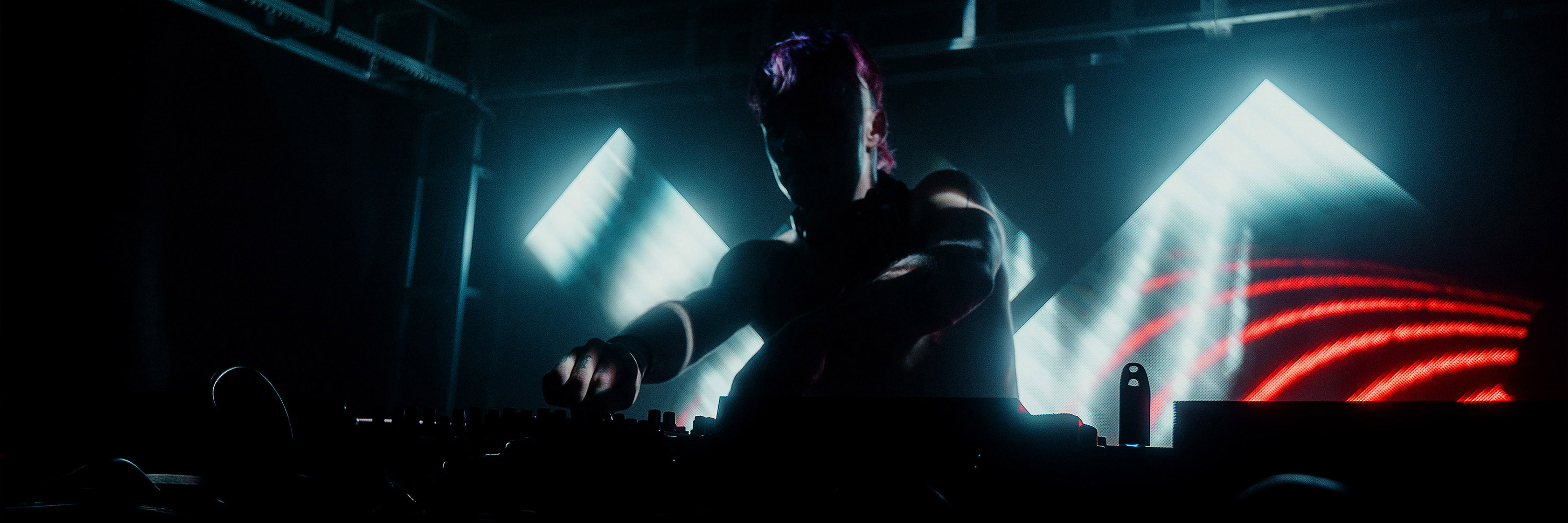
Showreel by FRANK SENT US
We first met the guys and girl from FRANK SENT US at the Live Performance Meeting 2009 in Rome. Since then we have been working closely together to improve Resolume so they can use it for their live shows. They, for instance, suggested to add the audio output delay that you can find in the preferences in since version 3.1. With this audio delay you can compensate delays in the video and audio signals as it travels through different mixers to the projector and the speakers. This way you can achieve perfect sync. Thanks guys (and girl)! We love working so closely together with all our users, so keep your feedback and suggestions coming! Watch the FRANK SENT US showreel.
Resolume Blog
This blog is about Resolume, VJ-ing and the inspiring things the Resolume users make. Do you have something interesting to show the community? Send in your work!
Highlights
Just in time for the weekend: 2 new SOURCE footage releases
Stock up new visuals for your gigs this weekend. From incredibly detailed motion graphic collages to full on image-chaos, SPECULUM by XNOGRAFIKZ takes full advantage of the 29.97 frames in every second. Variax by LucidHouse plays like a full-spectrum palette of thoughts, notions, emotions: visualized. Where is my mind?
XNOGRAFIKZ : SPECULUM

Lucidhouse : Variax
XNOGRAFIKZ : SPECULUM

Lucidhouse : Variax
Dial S for Support
We always loved to have just one email address where you can contact us for all your questions: mail@resolume.com But to further streamline our support we now have a separate email for all your technical support questions: support@resolume.com For all other questions like The Purpose of Life, World Peace and The Perfect Espresso, you can still contact us on mail@resolume.com
Resolume now compatible with Snow Leopard
Resolume 3 is now fully compatible with Mac OS X 10.6 Snow Leopard. Unfortunately some small changes in OS X 10.6 caused Resolume to crash when opening a sub-menu. This is now fixed and Resolume Avenue version 3.1.2 is fully compatible with Snow Leopard. No other changes have been made so there is no version 3.1.2 for PC. Dowload version 3.1.2. Enjoy!
Resolume 3.1.1 Released, Instability Fixed
A few last minute bugs had snuck into version 3.1 which caused a lot of instability. We were so excited that Flash was finally working properly that we wanted to release 3.1 as quickly as possible. Unfortunately we learned the hard way that a quick release can go horribly wrong. We had also spent so much time stress-testing and making Resolume a lot more stable so it was very frustrating to see that a few last minute bugs spoiled all our hard work. Fortunately these bugs were easy to find and fix. Download Resolume 3.1.1 and enjoy! Also checkout this new video showing all the Flash features.
3.1 Instability Fixed, Need More Beta Testers Before Release
Pffeww that was a stressful week at Resolume HQ ;-) But we found the bugs that caused instability for some users. Thankfully not everybody was affected by this bug and version 3.1 ran stable for a lot of you. To be on the safe side we would like to do a bit more testing before we release update version 3.1.1. So if you are experiencing a lot of crashes or slow Flash performance with version 3.1 then please [s]email us and we'll give you a beta version[/s]. Please only email us if you have time to test this version and report back to us.
UPDATE: We received more than enough emails in a couple of hours so beta testing is now closed. Thank you all! Release coming soon if nothing unexpected comes up.
Version 3.1 actually less stable?
We are receiving reports that version 3.1 is actually less stable than 3.0.1. We also experienced this first-hand saturday night while VJ-ing at a party in The Hague. We are very sorry for this bad release. We suspect something must have snuck in at the last moment as we and our beta testers were actually really happy with the stability improvements we made. Again we appologise for this release, we are working hard to get it fixed as soon as possible.
If you are experiencing crashes then please send us the Resolume log file. It contains vital information that can help us find the problem sooner. mail@resolume.com
MAC: /Users/[username]/Library/Logs/Resolume Avenue 3 log.txt
PC: C:/Documents and Settings/[username]/Application Data/Resolume/Resolume Avenue 3 log.txt
If you are experiencing crashes then please send us the Resolume log file. It contains vital information that can help us find the problem sooner. mail@resolume.com
MAC: /Users/[username]/Library/Logs/Resolume Avenue 3 log.txt
PC: C:/Documents and Settings/[username]/Application Data/Resolume/Resolume Avenue 3 log.txt
Resolume 3.1 Released: Bug Fixes & Flash Playback
UPDATE: Version 3.1.1 is released which fixes some instability. We are extremely happy to release this free Resolume update. Version 3.1 fixes a lot of bugs & crashes, has Flash playback and a LOT of minor improvements.
Stability Improvements & Bug Fixes
We have spent a lot of time stress-testing Avenue and have fixed a lot of crashes and bugs. Avenue runs a lot more stable again. Stability remains our main focus so email us as soon as you run into any problems: mail@resolume.com
Flash Playback
What can we say? Sorry it took a while ... but ... IT ROCKS!!! Flash animations have this crispy colourfulness that you just don't get with video. Flash playback in Resolume has full alpha channel support so transparency looks great. Communication between Flash and Resolume is ActionScript 3 compatible and more powerful than ever so you get perfect live control over your animations with sliders, buttons and text input in the Resolume interface. Programming in AS3 is an absolute joy compared to AS2. We love it, and we hope you do to. Checkout the Manual for a new Flash chapter with all the details. And checkout the samples in the media folder. Start making your own generative visuals!
Manual
http://www.resolume.com/avenue/manual/
Layer Width and Height
This was a much requested feature that makes scaling all the clips to a fixed size a lot easier. This is great if you have content in different sizes, it will scale them all to one size. And it makes setting up a multi-screen projection with the Matrox Dualhead or Tripplehead a lot less work too.
Video Beatloopr
Why should the AV guys have all the fun? The BeatLoopr also works on video clips without audio now. Set your video clip to BPM Sync and st- st- st- start play- play- playing.
Improved AV Slider
Moving the layer Audio and Video sliders at the same time is much improved. Between the Audio and Video slider you now see a proper AV slider that you can grab and adjust the audio volume and video opacity relative from each other in one fell swoop. Small details make all the difference.
Improved Keystone plugin
Keystone = video mapping! The keystone plugin allows for extreme deformation of video so you can map it onto objects. Combined with masks you can map video on any surface. Enjoy!
New Effect: Shift RGB
This effect has different modes for displacing the RGB channels in the video.
Load an effect with 0% Opacity
Hold down the Alt key when you drop an effect and it will be loaded with 0% opacity. This way you can load an effect on the composition without becoming instantly visible so you can do a subtle fade-in. Smoooooth.
Master Output Audio Delay
When outputting the video to a projector via a mixer the video will always be delayed a few milliseconds before it's displayed. This becomes a problem when you also output audio from Avenue because the delay on the audio as it travels through the mixer to the PA is usually less than video. To compensate this you can now set a delay on the audio output in the preferences. This way your audio and video will match up perfectly. Pro stuff!
Audio FFT Input Gain
When the incoming audio is very weak you can now amplify the entire audio FFT analysis signal in the preferences.
Clip Panel Updates
A lot of people are sequencing Avenue via MIDI with Ableton Live or via OSC with Max Patches. For this situation it's not handy for the clip properties panel to always show the latest triggered clip. We have made a switch for this in the Preferences where you can switch off the Clip panel updating when receiving MIDI or OSC.
Mac Intel Only
Resolume is no longer a universal binary but is Intel only on the Mac.
Español, Català & Français
Besides English, German and Dutch the Resolume interface also speaks fluent Spanish, Catalan and French now.
German Manual
The entire Resolume Manual is also available in German:
http://www.resolume.com/avenue/manual/index.php?lang=de
What's Next for us?
Software is never finished so one of the next major todo's on our list is making deck switches faster. So ... back to work.
What's Next for You?
Download Resolume 3.1 and enjoy!
Stability Improvements & Bug Fixes
We have spent a lot of time stress-testing Avenue and have fixed a lot of crashes and bugs. Avenue runs a lot more stable again. Stability remains our main focus so email us as soon as you run into any problems: mail@resolume.com
Flash Playback
What can we say? Sorry it took a while ... but ... IT ROCKS!!! Flash animations have this crispy colourfulness that you just don't get with video. Flash playback in Resolume has full alpha channel support so transparency looks great. Communication between Flash and Resolume is ActionScript 3 compatible and more powerful than ever so you get perfect live control over your animations with sliders, buttons and text input in the Resolume interface. Programming in AS3 is an absolute joy compared to AS2. We love it, and we hope you do to. Checkout the Manual for a new Flash chapter with all the details. And checkout the samples in the media folder. Start making your own generative visuals!
Manual
http://www.resolume.com/avenue/manual/
Layer Width and Height
This was a much requested feature that makes scaling all the clips to a fixed size a lot easier. This is great if you have content in different sizes, it will scale them all to one size. And it makes setting up a multi-screen projection with the Matrox Dualhead or Tripplehead a lot less work too.
Video Beatloopr
Why should the AV guys have all the fun? The BeatLoopr also works on video clips without audio now. Set your video clip to BPM Sync and st- st- st- start play- play- playing.
Improved AV Slider
Moving the layer Audio and Video sliders at the same time is much improved. Between the Audio and Video slider you now see a proper AV slider that you can grab and adjust the audio volume and video opacity relative from each other in one fell swoop. Small details make all the difference.
Improved Keystone plugin
Keystone = video mapping! The keystone plugin allows for extreme deformation of video so you can map it onto objects. Combined with masks you can map video on any surface. Enjoy!
New Effect: Shift RGB
This effect has different modes for displacing the RGB channels in the video.
Load an effect with 0% Opacity
Hold down the Alt key when you drop an effect and it will be loaded with 0% opacity. This way you can load an effect on the composition without becoming instantly visible so you can do a subtle fade-in. Smoooooth.
Master Output Audio Delay
When outputting the video to a projector via a mixer the video will always be delayed a few milliseconds before it's displayed. This becomes a problem when you also output audio from Avenue because the delay on the audio as it travels through the mixer to the PA is usually less than video. To compensate this you can now set a delay on the audio output in the preferences. This way your audio and video will match up perfectly. Pro stuff!
Audio FFT Input Gain
When the incoming audio is very weak you can now amplify the entire audio FFT analysis signal in the preferences.
Clip Panel Updates
A lot of people are sequencing Avenue via MIDI with Ableton Live or via OSC with Max Patches. For this situation it's not handy for the clip properties panel to always show the latest triggered clip. We have made a switch for this in the Preferences where you can switch off the Clip panel updating when receiving MIDI or OSC.
Mac Intel Only
Resolume is no longer a universal binary but is Intel only on the Mac.
Español, Català & Français
Besides English, German and Dutch the Resolume interface also speaks fluent Spanish, Catalan and French now.
German Manual
The entire Resolume Manual is also available in German:
http://www.resolume.com/avenue/manual/index.php?lang=de
What's Next for us?
Software is never finished so one of the next major todo's on our list is making deck switches faster. So ... back to work.
What's Next for You?
Download Resolume 3.1 and enjoy!
Resolume VJ workshop in Rotterdam, Saturday, August 8
Join the Ableton 8, Akai APC40 and Resolume Avenue VJ workshop at the Unie, during the Danceparade, Rotterdam.
When
Saturday, August 8, 2009.
Workshop runs from 8:00-10:00 PM.
Pre-party begins at 5:00 PM.
After-party goes from 11:00 PM-5:00 AM
Where
De Unie
Mauritsweg 34-35
3012 JT Rotterdam
During one of the biggest dance events of the year, Media Satellite/InHolland and Teach Music will present a two-hour workshop on Ableton Live 8, Ableton Suite 8 and Resolume Avenue at the Unie, right in the center of Rotterdam. Expect two hours of Ableton tips and tricks, production skills and DJing with Ableton Live and the Akai APC40. Renier Vreugde (Teach Music), an Ableton Certified Trainer, will share his favorite Ableton Live features and tricks, and immediately after UTURN (Hugo van Oortmerssen) opens up his Ableton Live sessions so you can see for yourself what producing in Ableton Live and DJing with the Akai APC40 controller is all about.
In addition to the Ableton Live 8 workshops, the evening features an exclusive introduction to the new Resolume Avenue 3 VJ software, one of the few VJ tools that work perfectly with Ableton Live. Trigger and manipulate your video just like audio! Bart van der Ploeg, one of the programmers, will show you all you want to know about video triggering and how to hook up a Resolume-Ableton Live setup.
Tickets
Pre-party + workshops + After-party: 10.- EUR
Get tickets here
https://www.ticketscript.com/shop_plus.php?org_id=827&lang=nl
More info
http://www.teachmusic.nl
http://www.inholland-danceparade.nl
http://www.fitforfreedanceparade.nl
When
Saturday, August 8, 2009.
Workshop runs from 8:00-10:00 PM.
Pre-party begins at 5:00 PM.
After-party goes from 11:00 PM-5:00 AM
Where
De Unie
Mauritsweg 34-35
3012 JT Rotterdam
During one of the biggest dance events of the year, Media Satellite/InHolland and Teach Music will present a two-hour workshop on Ableton Live 8, Ableton Suite 8 and Resolume Avenue at the Unie, right in the center of Rotterdam. Expect two hours of Ableton tips and tricks, production skills and DJing with Ableton Live and the Akai APC40. Renier Vreugde (Teach Music), an Ableton Certified Trainer, will share his favorite Ableton Live features and tricks, and immediately after UTURN (Hugo van Oortmerssen) opens up his Ableton Live sessions so you can see for yourself what producing in Ableton Live and DJing with the Akai APC40 controller is all about.
In addition to the Ableton Live 8 workshops, the evening features an exclusive introduction to the new Resolume Avenue 3 VJ software, one of the few VJ tools that work perfectly with Ableton Live. Trigger and manipulate your video just like audio! Bart van der Ploeg, one of the programmers, will show you all you want to know about video triggering and how to hook up a Resolume-Ableton Live setup.
Tickets
Pre-party + workshops + After-party: 10.- EUR
Get tickets here
https://www.ticketscript.com/shop_plus.php?org_id=827&lang=nl
More info
http://www.teachmusic.nl
http://www.inholland-danceparade.nl
http://www.fitforfreedanceparade.nl
Rooms of Red Bull Resolume VJ workshops in Amsterdam PART 2
We're doing another round of Resolume VJ workshops for beginners in Rooms of Red Bull in Amsterdam. Again in three parts you'll learn a lot about VJ-ing and Resolume. First workshop will be done by the Kijkbuiskinderen this Sunday, August 9th from 16:00 till 19:00. See the Rooms of Red Bull website for all the details.
Short video impression of the previous workshops with Freek from the Kijkbuiskinderen: