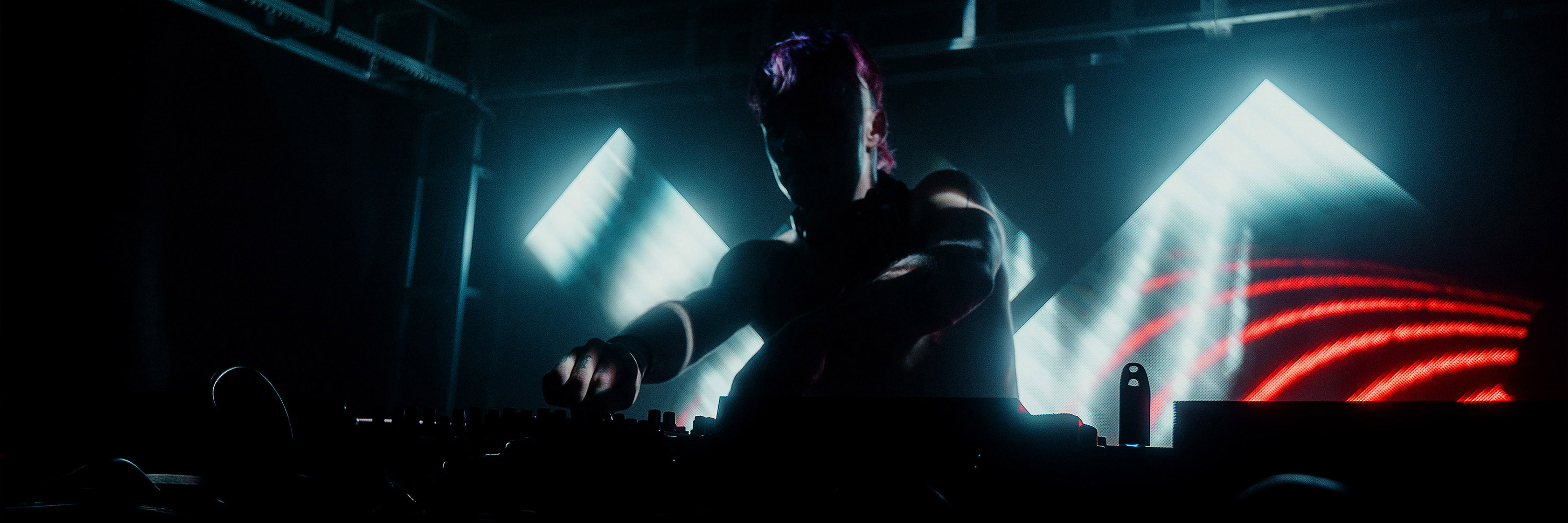

Freemote festival on in Utrecht, 28-31 October
If you have the chance to be in Utrecht, The Netherlands this coming weekend, you are in luck! The wonderful folks from Born Digital are putting on a festival that will tickle your senses with fresh sights and sounds! Bringing together a diverse collection of artists from around the world, there will be something for everyone. Workshops on Thursday and Friday, free exhibitions on Saturday and Sunday and of course parties on Friday and Saturday night!
Of special interest is that the Resolume team will be representing as well. On Saturday night Daniel will be showing his programming and artistic skills. It's hard to put into words what he does, but check out his videos and be amazed.
Then on Friday afternoon Joris/Goto10 will be giving a Resolume/Ableton AV presentation with audio partner in crime Airway-X. Also they'll be performing their AV set 'Burn Hollywood, Burn!' on Friday night. If you're down with your favorite movies being remixed to hard hitting drum n bass, this is the night for you. Check out the video for the Tron remix, and prepare to terminate!
Check out the full program for more info, and hope to see you all there!
The ResTeam
Of special interest is that the Resolume team will be representing as well. On Saturday night Daniel will be showing his programming and artistic skills. It's hard to put into words what he does, but check out his videos and be amazed.
Then on Friday afternoon Joris/Goto10 will be giving a Resolume/Ableton AV presentation with audio partner in crime Airway-X. Also they'll be performing their AV set 'Burn Hollywood, Burn!' on Friday night. If you're down with your favorite movies being remixed to hard hitting drum n bass, this is the night for you. Check out the video for the Tron remix, and prepare to terminate!
Check out the full program for more info, and hope to see you all there!
The ResTeam
Resolume Blog
This blog is about Resolume, VJ-ing and the inspiring things the Resolume users make. Do you have something interesting to show the community? Send in your work!
Highlights
Search
New Footage by Dubassy, RebelOverlay & James Medcraft

EQualisers by Dubassy
See the music come alive in vivid colour with lines, shapes, levels & waveforms moving to the music.

MNML by RebelOverlay
Sometimes the simplest things can look so damn good. These simple but effective footage is bread and butter for every VJ.

neoScapes by James Medcraft
Morphing landscapes, evolving patterns, mountainous and smooth terrain, transport your viewers into a sublime futuristic landscape. neoScapes is a journey into technological terrain.
Resolume Avenue 3.3.1 and DXV Codec 2.1.1 Released
There is a Dutch expression that says "Those who do not honor the small, are not worthy the big". So today we are releasing a small update for Avenue and a (not so small) update for the DXV codec.
Avenue 3.3.1 fixes a number of small bugs that have been annoying us for while and we're happy to iron those out. DXV 2.1.1 fixes quite a few compatibility issues when rendering video with various applications. It now works great with Adobe After Effects, Media Encoder, Sony Vegas, Ableton Live (yes, Live edits video too) and our personal favorite: Apple Motion!
Hit the download, and remember to honor the small things in life ;-)
CORRECTION: DXV version 2.1.1 not 2.2.1 ;-)
Enjoy!
The Resolume Team
Release Notes Resolume 3.3.1
[FIXED] Feedback sources don't remember their size settings
[FIXED] Unregister DMX unregisteres Resolume serial
[FIXED] New effects added to effects tab don't show in gui
[FIXED] Mapping for bpm tap buttons are not saved in composition key map
[FIXED] Invert for composition beats doesn't do anything
[FIXED] No alpha in feedback
[FIXED] The first time a clip is triggered after startup the clip
thumbnail isn't shown in the layer
[FIXED] Timeline zoom shows incorrect clip after zoom out
[FIXED] Can't register dmx serial offline
[FIXED] Register offline, some text overlaps after registration
[FIXED] Switched channel 5 and 7 in DMX Automap
Release Notes DXV Codec 2.1.1
[FIXED] Apple Motion crashes when rendering with DXV
[FIXED] Can't access DXV settings in Sony Vegas
[FIXED] Sometimes frames in wrong order in Adobe Media Encoder CS4
[FIXED] Crash QT 7.6.6 on WIN7 64
[FIXED] Sometimes flipped frames
[FIXED] DXV 2.1 crashes some apps on windows when loading older DXV files
[FIXED] DXV 2.1 does not render alpha correctly in Vegas
[FIXED] DXV 2.2 still gives quicktime error on AE CS4 (image sequences)
[FIXED] Windows 7 AE CS5 does not remember the codec settings
Avenue 3.3.1 fixes a number of small bugs that have been annoying us for while and we're happy to iron those out. DXV 2.1.1 fixes quite a few compatibility issues when rendering video with various applications. It now works great with Adobe After Effects, Media Encoder, Sony Vegas, Ableton Live (yes, Live edits video too) and our personal favorite: Apple Motion!
Hit the download, and remember to honor the small things in life ;-)
CORRECTION: DXV version 2.1.1 not 2.2.1 ;-)
Enjoy!
The Resolume Team
Release Notes Resolume 3.3.1
[FIXED] Feedback sources don't remember their size settings
[FIXED] Unregister DMX unregisteres Resolume serial
[FIXED] New effects added to effects tab don't show in gui
[FIXED] Mapping for bpm tap buttons are not saved in composition key map
[FIXED] Invert for composition beats doesn't do anything
[FIXED] No alpha in feedback
[FIXED] The first time a clip is triggered after startup the clip
thumbnail isn't shown in the layer
[FIXED] Timeline zoom shows incorrect clip after zoom out
[FIXED] Can't register dmx serial offline
[FIXED] Register offline, some text overlaps after registration
[FIXED] Switched channel 5 and 7 in DMX Automap
Release Notes DXV Codec 2.1.1
[FIXED] Apple Motion crashes when rendering with DXV
[FIXED] Can't access DXV settings in Sony Vegas
[FIXED] Sometimes frames in wrong order in Adobe Media Encoder CS4
[FIXED] Crash QT 7.6.6 on WIN7 64
[FIXED] Sometimes flipped frames
[FIXED] DXV 2.1 crashes some apps on windows when loading older DXV files
[FIXED] DXV 2.1 does not render alpha correctly in Vegas
[FIXED] DXV 2.2 still gives quicktime error on AE CS4 (image sequences)
[FIXED] Windows 7 AE CS5 does not remember the codec settings
Getting 'in touch' with Resolume
In case you hadn't heard, there recently was an important memo on what's hot and what's not from the VJ fashion police. It clearly stated that for the fashionable VJ in autumn 2010 midi controllers are a definite no-no. For those wanting to be seen VJ'ing in style, the iPad is the must-have accessory in your setup.
So of course not wanting you to look outdated at your gigs, we thought we'd round up what's going on on the iPad/TouchOSC front:
First up is Docmotion2010, who rocks out an effects heavy iPad setup:
He doesn't give a lot of info, but we're predicting that using the iPad as a cover for that unstylish keyboard is going to be the trend for 2011.
Then for those who want to get their fingers dirty themselves (but looking super hip in the process), look no further than the layout from Digital Gigalow, a two-in-one solution, allowing control over both Ableton Live and Resolume.
Another complete layout comes from dBiz, which can be downloaded here. Be sure to check out the demo video to see how to score bonus style points by controlling Resolume with one hand, and a having a smoke with the other.
Of course this list wouldn't be complete without a shout out to the pioneers of the Touch style, who risked their reputations by venturing into then unknown areas of VJ fashion. Big up to Martin/GradeK, whose iPhone/TouchOSC/OSCulator mash up helped pave the way for us all.
And last but no least, we wouldn't leave you without this video by TIGERcat. After watching this lovely performance, there are simply no more excuses for looking unstylish on stage.
That's it from us. If you have any other hip iPad layouts or cool videos to share, be sure to let us know by leaving a reply!
-the ResTeam
So of course not wanting you to look outdated at your gigs, we thought we'd round up what's going on on the iPad/TouchOSC front:
First up is Docmotion2010, who rocks out an effects heavy iPad setup:
He doesn't give a lot of info, but we're predicting that using the iPad as a cover for that unstylish keyboard is going to be the trend for 2011.
Then for those who want to get their fingers dirty themselves (but looking super hip in the process), look no further than the layout from Digital Gigalow, a two-in-one solution, allowing control over both Ableton Live and Resolume.
Another complete layout comes from dBiz, which can be downloaded here. Be sure to check out the demo video to see how to score bonus style points by controlling Resolume with one hand, and a having a smoke with the other.
Of course this list wouldn't be complete without a shout out to the pioneers of the Touch style, who risked their reputations by venturing into then unknown areas of VJ fashion. Big up to Martin/GradeK, whose iPhone/TouchOSC/OSCulator mash up helped pave the way for us all.
And last but no least, we wouldn't leave you without this video by TIGERcat. After watching this lovely performance, there are simply no more excuses for looking unstylish on stage.
That's it from us. If you have any other hip iPad layouts or cool videos to share, be sure to let us know by leaving a reply!
-the ResTeam
Neal Coghlan's Work for the Kraak & Smaak VJ Competition
Neal Coghlan won the Kraak & Smaak VJ competition we organized this summer and here is an update of the clips he eventually created for them. Excellent work!
Neal shares some interesting details about his way of working:
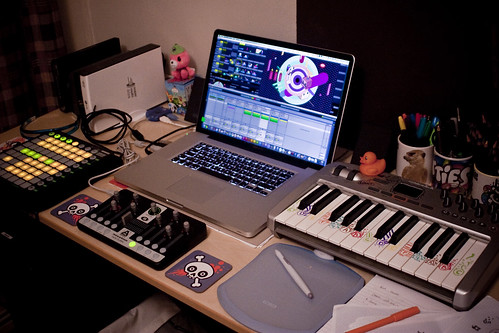
See a Resolume screenshot here: http://www.bit.ly/TVResolume
See stills of the illustrations here: http://www.bit.ly/TastyFlickr
Neal shares some interesting details about his way of working:
Before animating any of the parts I chose 3 of Kraak & Smaak's tracks and sliced it so that it was a segment of 16 beats. I then altered the tempo of the segment to 125BPM - as this works well with a 50fps frame rate (and is consequently easily scalable for slower or faster sections should I need to re-render to a certain speed). Within these segments there was enough going on musically that I could animate individual objects to sounds, meaning that you can watch them again and again and still find new bits that sync up to something. The beauty of this is that all these elements can be removed as single pieces and reassembled to create new compositions. The limitations of the grid plus no gradients or transparencies also meant that consistency between the pieces was easy and that they could all be played consecutively and gel.
My next step is to separate the elements in these visuals and use them as separate clips over multiple layer in the Resolume - allowing me to form new compositions live to music!
See a Resolume screenshot here: http://www.bit.ly/TVResolume
See stills of the illustrations here: http://www.bit.ly/TastyFlickr
New Footage: PowerFlowers & ReadMe Flash Text Animations
ReadMe
30 amazing Flash text animations. Insert any text you like in Resolume.
These advanced text animations have been in development for over a year and tweaked to perfection. They are all configurable to be single or multi-line and some can even be speed adjusted. Load these flash animations in Resolume, type the text you want to show and play.

PowerFlowers
Roses are red, Violets are blue, but these flowers will always stay true.
Inspired by photographer Karl Blossfeldt, Chromosoom created these beat synced flower animations.

30 amazing Flash text animations. Insert any text you like in Resolume.
These advanced text animations have been in development for over a year and tweaked to perfection. They are all configurable to be single or multi-line and some can even be speed adjusted. Load these flash animations in Resolume, type the text you want to show and play.
PowerFlowers
Roses are red, Violets are blue, but these flowers will always stay true.
Inspired by photographer Karl Blossfeldt, Chromosoom created these beat synced flower animations.
Resolume Avenue 3.3 Released
Hurray! Another Resolume update! Version 3.3 includes DMX input, a faster DXV codec, improved camera capture on the mac and a boat load of other goodies. Checkout the release notes below and then hit the download.
DMX Input
This is a big one, you can now control resolume from a lighting desk using DMX. Or any other show control software that can send DMX. Resolume receives DMX via the Enttec USB Pro device or via ArtNet.
DMX Auto Map and/or Composition Mapping
By default the most important functions in Resolume are automatically assigned to a DMX channel. This is called DMX Auto Map and it's done for all layers. This way you can create profiles for your favorite desks and rest assured the DMX Auto Map will always be the same.
If you want to assign your own DMX channels in Resolume you can do this like you are used to with MIDI using the Composition DMX Map.
DMX License
We want to keep the base price of Avenue affordable so an additional DMX License is required to use DMX input. You can first try it as long as you like of course, just enable it in the DMX preferences, only a Resolume watermark will be shown.
You can buy a DMX License for 199 Euro in the Resolume shop.
Faster DXV Codec
Rendering video files to the DXV codec used to take forever. We have spent a lot of time optimizing the rendering algorithm to make it faster. And faster it is! In some cases it's 20 times faster! This means rendering takes about as long as the Photo JPEG codec so you do not have to wait an entire decade to convert your files anymore. A few other bugs have also been fixed, like rendering with Adobe Premiere on Windows.
Application MIDI mapping on effects
You can now assign midi notes or dials to (for instance) the opacity of the first 3 composition effects and use them no matter what effect is loaded. Many old Resolume 2 users will love this. All you have to do is assign your MIDI controller and you can load and unload effects as you like. The midi will always control the effects, no matter which is loaded.
Improved Camera Capture on the Mac
Resolume now uses the latest Mac OS X 10.5 capture APIs so it's faster and more stable. Note that your current compositions might not load your cameras anymore. Just drag it in again and it will work. Sorry for this inconvenience, it was impossible to make it backwards compatible.
Set Rotation to 0 with MIDI
All parameters can now be set back to their default value with a MIDI controller. So when you move your MIDI dial or slider the Scale passes exactly 100% and Rotate exactly 0 degrees instead of 2.04 or something. Small things like this can make life so much better ;-)
Master Audio Preview
As requested by Alessandro from FrankSentUs, you can now hear the master audio output before the delay on the monitor output. You enable this composition preview by clicking on the "Composition" button at the top op the interface. This is essential when you are using the Master Audio Output Delay to line up your audio on the PA with the video on the beamer.
Show in Explorer/Finder
Ever forgot where you saved the video file in a clip? Select Show in Explorer (or Show in Finder on the mac) in the clip menu.
RGB Blend Mode
With the RGB mixer you fade in each colour channel separately, it's hard to explain what it does, give it a go, we quite like it.
Fixed Bugz
[fixed] Rescan for display devices when output menu is opened.
[fixed] Remember Focus: Layer | Deck when mapping
[fixed] Deck order changes randomly when re-opening a composition
[fixed] Triggering a paused clip in BPM sync mode does not work
[fixed] Crash: Adjustments submenu of isight on mac
[fixed] Clips out of sync when switching to bpm-sync
[fixed] Sometimes the capture devices disappear from the sources list
[fixed] Quit doesn't actually happen until you move the mouse over the interface
[fixed] Freeze effect skillfully obviates the alpha channel
[fixed] enabling thumbnails in browser loads first clip in deck to clip properties panel
[fixed] Clip with FFGL source store a path to the filename instead of id of plugin
[fixed] Adding effects when mapping is enabled doesn't show mappable regions for newly added controls
[fixed] Clip properties in Deck mapping are not based on which clip is focused
[fixed] Deleting comp from browser does not work
[fixed] When recording the master fade is not taken into account.
[fixed] bpm synced parameter does not play after save and reopen
[fixed] Layer audio preview should ignore layer volume & bypass
[fixed] Non beat snapped bpm synced v-only clips have strange (re)triggering behavior when set to play once
[fixed] FFGL text parameter bugz
[fixed] Wave Warp kills Quartz Composer
[fixed] Wave Warp leaking
[fixed] Edge detection effect mode doesn't change
[fixed] Columns names disappear
[fixed] Audio settings not saved correctly when a sound card has a lot of inputs
DMX Input
This is a big one, you can now control resolume from a lighting desk using DMX. Or any other show control software that can send DMX. Resolume receives DMX via the Enttec USB Pro device or via ArtNet.
DMX Auto Map and/or Composition Mapping
By default the most important functions in Resolume are automatically assigned to a DMX channel. This is called DMX Auto Map and it's done for all layers. This way you can create profiles for your favorite desks and rest assured the DMX Auto Map will always be the same.
If you want to assign your own DMX channels in Resolume you can do this like you are used to with MIDI using the Composition DMX Map.
DMX License
We want to keep the base price of Avenue affordable so an additional DMX License is required to use DMX input. You can first try it as long as you like of course, just enable it in the DMX preferences, only a Resolume watermark will be shown.
You can buy a DMX License for 199 Euro in the Resolume shop.
Faster DXV Codec
Rendering video files to the DXV codec used to take forever. We have spent a lot of time optimizing the rendering algorithm to make it faster. And faster it is! In some cases it's 20 times faster! This means rendering takes about as long as the Photo JPEG codec so you do not have to wait an entire decade to convert your files anymore. A few other bugs have also been fixed, like rendering with Adobe Premiere on Windows.
Application MIDI mapping on effects
You can now assign midi notes or dials to (for instance) the opacity of the first 3 composition effects and use them no matter what effect is loaded. Many old Resolume 2 users will love this. All you have to do is assign your MIDI controller and you can load and unload effects as you like. The midi will always control the effects, no matter which is loaded.
Improved Camera Capture on the Mac
Resolume now uses the latest Mac OS X 10.5 capture APIs so it's faster and more stable. Note that your current compositions might not load your cameras anymore. Just drag it in again and it will work. Sorry for this inconvenience, it was impossible to make it backwards compatible.
Set Rotation to 0 with MIDI
All parameters can now be set back to their default value with a MIDI controller. So when you move your MIDI dial or slider the Scale passes exactly 100% and Rotate exactly 0 degrees instead of 2.04 or something. Small things like this can make life so much better ;-)
Master Audio Preview
As requested by Alessandro from FrankSentUs, you can now hear the master audio output before the delay on the monitor output. You enable this composition preview by clicking on the "Composition" button at the top op the interface. This is essential when you are using the Master Audio Output Delay to line up your audio on the PA with the video on the beamer.
Show in Explorer/Finder
Ever forgot where you saved the video file in a clip? Select Show in Explorer (or Show in Finder on the mac) in the clip menu.
RGB Blend Mode
With the RGB mixer you fade in each colour channel separately, it's hard to explain what it does, give it a go, we quite like it.
Fixed Bugz
[fixed] Rescan for display devices when output menu is opened.
[fixed] Remember Focus: Layer | Deck when mapping
[fixed] Deck order changes randomly when re-opening a composition
[fixed] Triggering a paused clip in BPM sync mode does not work
[fixed] Crash: Adjustments submenu of isight on mac
[fixed] Clips out of sync when switching to bpm-sync
[fixed] Sometimes the capture devices disappear from the sources list
[fixed] Quit doesn't actually happen until you move the mouse over the interface
[fixed] Freeze effect skillfully obviates the alpha channel
[fixed] enabling thumbnails in browser loads first clip in deck to clip properties panel
[fixed] Clip with FFGL source store a path to the filename instead of id of plugin
[fixed] Adding effects when mapping is enabled doesn't show mappable regions for newly added controls
[fixed] Clip properties in Deck mapping are not based on which clip is focused
[fixed] Deleting comp from browser does not work
[fixed] When recording the master fade is not taken into account.
[fixed] bpm synced parameter does not play after save and reopen
[fixed] Layer audio preview should ignore layer volume & bypass
[fixed] Non beat snapped bpm synced v-only clips have strange (re)triggering behavior when set to play once
[fixed] FFGL text parameter bugz
[fixed] Wave Warp kills Quartz Composer
[fixed] Wave Warp leaking
[fixed] Edge detection effect mode doesn't change
[fixed] Columns names disappear
[fixed] Audio settings not saved correctly when a sound card has a lot of inputs
*Spark D-Fuser DVI Mixer Official Announcement Video
Checkout this video where Toby presents the DIY DVI Mixer he is working on. He tells the tale of it's creation and then spills all the details: Two channel DVI mixing up to 1080p including "odd" TrippleHead resolutions like 1920x480. We can't wait to get our hands on this, it looks like a perfect mixer for VJ's. As more and more laptops are not equipped with analog TV-out anymore, DVI mixing becomes more and more a necessity.
Checkout all the details on tobyz.net.
Eyesupply 2010 Showreel
Checkout the new 2010 showreel from Eyesupply. It's huge! Enjoy!
Trigger Resolume Clips With Max for Live
Getting tired of endless MIDI mapping to trigger clips in Resolume with Ableton Live? Checkout these Max for Live patches. These patches translate MIDI notes played in Live to OSC messages for Resolume. This means you do not have to do any complicated & cumbersome MIDI mappings to trigger clips in Resolume.
Download ResolumeM4L_1.zip
We hope you like it too! Let us know. A million thanks go out to Pandelis Diamantides for creating these patches for us. Checkout his music on Facebook.
Download ResolumeM4L_1.zip
We hope you like it too! Let us know. A million thanks go out to Pandelis Diamantides for creating these patches for us. Checkout his music on Facebook.