
Resolume Arena with Denon DJ StageLinQ Integration
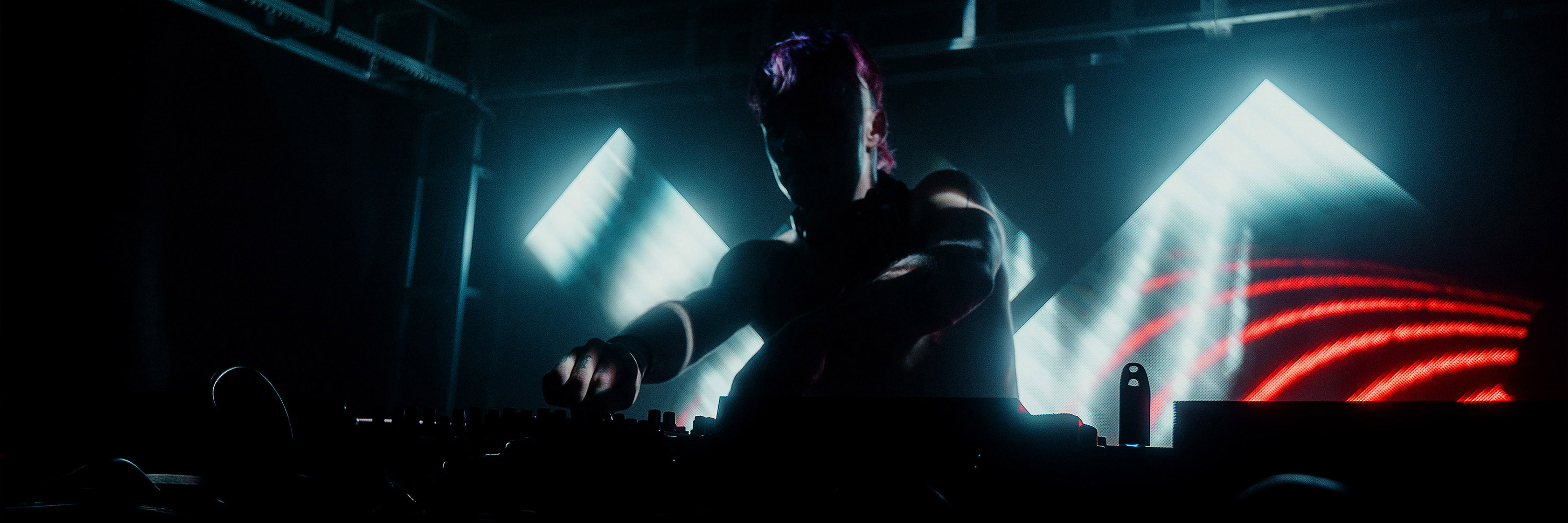
Touch down in Philadelphia, we’ll be at DJ Expo in Atlantic City together with Denon DJ this week to show the integration of Denon’s StageLinQ protocol into Resolume Arena. StageLinQ enables Arena to automatically video sync to Denon’s Prime DJ players and mixer.
Arena can not only play video in perfect sync with the playing audio tracks but it will also recognise the songs being cued and automatically start the corresponding video. Just plug in the ethernet cable and you’re ready to go. The DJ has full creative freedom, scratching, pitching, looping and firing cues, the video in Arena will stay in perfect sync.
We’re very excited to finally show the Denon DJ StageLinQ integration in Arena, we think this is big step forward for synchronised shows.
Come and visit the Denon DJ stand at DJ Expo. We (Edwin and Bart) will be there for demos. Resolume Arena version 6.1 with StageLinQ integration will be publicly released in a couple of weeks.
Arena can not only play video in perfect sync with the playing audio tracks but it will also recognise the songs being cued and automatically start the corresponding video. Just plug in the ethernet cable and you’re ready to go. The DJ has full creative freedom, scratching, pitching, looping and firing cues, the video in Arena will stay in perfect sync.
We’re very excited to finally show the Denon DJ StageLinQ integration in Arena, we think this is big step forward for synchronised shows.
Come and visit the Denon DJ stand at DJ Expo. We (Edwin and Bart) will be there for demos. Resolume Arena version 6.1 with StageLinQ integration will be publicly released in a couple of weeks.
Resolume Blog
This blog is about Resolume, VJ-ing and the inspiring things the Resolume users make. Do you have something interesting to show the community? Send in your work!
Highlights
Search
Resolume 6.0.11 Gotta go fast!
Like beating Super Mario Bros in under five minutes, Resolume 6.0.11 is all about shaving off those milliseconds and finding those hidden shortcuts.
With the 6.0.11 update, you can play even more videos at higher resolutions than before. We dove under the hood to see where Resolume was spending most of its time, and improved that. A 2013 Mac Pro can now comfortably play 14 layers of 4K at 60 fps. Considering it had trouble reaching 30 fps with the same load before, that's a huge improvement!
Take a warp zone to download the update via the app or via the website, or take your time and get nerdy with all the techy details and the full fix list below.[fold][/fold]
So how does it work?
There is a new option called DMA Textures in the Video Preferences. By turning this ON, Resolume can pass textures to the GPU directly. This results in significantly improved performance.
There are some caveats, so by default it's still turned OFF. You can let Resolume detect if your computer supports DMA by setting it to Autodetect. There are a few edge cases where it might work, even though we can't detect it (the Mac Pro with its dual GPUs for instance). In those cases, you can force Resolume to use it by turning it ON.
When Resolume doesn't correctly autodetect the setting (so turning it ON improves performance, but Autodetect doesn't), or if turning it ON gives you crazy results, let us know!
For all of you that love your numbers, turning this option ON also gives you a nice little system statistics display on the statusbar as well.
New
#10782 DMA Textures option in Video Preferences
Fixed
#11410 Possible crash adjusting fixtures
#11131 Clip flashes last played frame on auto pilot launch
#11316 DMX inspector is initialized with random channel values.
#11333 Only write effect and ass preset files when they have changed
#11376 Resolume can have trouble starting without a valid audio output device.
#11139 Elgato game capture can't be opened
#11116 Alley name missing next to windows taskbar icon
#11403 OSC absolute values are broken
#11334 Launching Selected clips with Enter works only once
#11236 Layer Auto pilot on Random always launches the first clip in a deck you switched to
#11381 Possible crash on start with Intel(R) HD Graphics 4000 and windows 10
#11413 Tiff files with accented characters in the file name can't be added to the composition
#10364 Gifs with alhpa have Alpha channel button disabled (greyed), switching off other channel removes alpha
#11425 Stingy sphere is black inside
#11485 Slice routed layers/groups duplicates not outputting any more unless previewed
#11351 "This.." target Midi shortcuts vs OSC "Only this..." shortcuts are behaving different
#11369 Clip Drag and drop doesn't scroll nicely
#11406 Possible crash trying to save an empty palette
#11294 Line stride is incorrect on DV capture via AV Foundation
#11415 moving clip In/out points with shift only moves the value of the one you grab
#11384 Cue points are not imported from R5 compositions.
#11455 Crash receiving an OSC message without a leading /
#11385 Midi feedback for multi option objects with multiple shortcuts is broken
#11389 Fix Distance50 mixer not outputting premultiplied colors
#11390 Fix PointGrid effect not outputting premultiplied colors
#11388 Fix DotScreen effect not outputting premultiplied colors
#11386 OSC ../connectspecificclip and ../connectspecificcolumn no worky over int 1
With the 6.0.11 update, you can play even more videos at higher resolutions than before. We dove under the hood to see where Resolume was spending most of its time, and improved that. A 2013 Mac Pro can now comfortably play 14 layers of 4K at 60 fps. Considering it had trouble reaching 30 fps with the same load before, that's a huge improvement!
Take a warp zone to download the update via the app or via the website, or take your time and get nerdy with all the techy details and the full fix list below.[fold][/fold]
So how does it work?
There is a new option called DMA Textures in the Video Preferences. By turning this ON, Resolume can pass textures to the GPU directly. This results in significantly improved performance.
There are some caveats, so by default it's still turned OFF. You can let Resolume detect if your computer supports DMA by setting it to Autodetect. There are a few edge cases where it might work, even though we can't detect it (the Mac Pro with its dual GPUs for instance). In those cases, you can force Resolume to use it by turning it ON.
When Resolume doesn't correctly autodetect the setting (so turning it ON improves performance, but Autodetect doesn't), or if turning it ON gives you crazy results, let us know!
For all of you that love your numbers, turning this option ON also gives you a nice little system statistics display on the statusbar as well.
New
#10782 DMA Textures option in Video Preferences
Fixed
#11410 Possible crash adjusting fixtures
#11131 Clip flashes last played frame on auto pilot launch
#11316 DMX inspector is initialized with random channel values.
#11333 Only write effect and ass preset files when they have changed
#11376 Resolume can have trouble starting without a valid audio output device.
#11139 Elgato game capture can't be opened
#11116 Alley name missing next to windows taskbar icon
#11403 OSC absolute values are broken
#11334 Launching Selected clips with Enter works only once
#11236 Layer Auto pilot on Random always launches the first clip in a deck you switched to
#11381 Possible crash on start with Intel(R) HD Graphics 4000 and windows 10
#11413 Tiff files with accented characters in the file name can't be added to the composition
#10364 Gifs with alhpa have Alpha channel button disabled (greyed), switching off other channel removes alpha
#11425 Stingy sphere is black inside
#11485 Slice routed layers/groups duplicates not outputting any more unless previewed
#11351 "This.." target Midi shortcuts vs OSC "Only this..." shortcuts are behaving different
#11369 Clip Drag and drop doesn't scroll nicely
#11406 Possible crash trying to save an empty palette
#11294 Line stride is incorrect on DV capture via AV Foundation
#11415 moving clip In/out points with shift only moves the value of the one you grab
#11384 Cue points are not imported from R5 compositions.
#11455 Crash receiving an OSC message without a leading /
#11385 Midi feedback for multi option objects with multiple shortcuts is broken
#11389 Fix Distance50 mixer not outputting premultiplied colors
#11390 Fix PointGrid effect not outputting premultiplied colors
#11388 Fix DotScreen effect not outputting premultiplied colors
#11386 OSC ../connectspecificclip and ../connectspecificcolumn no worky over int 1
Chasing Greatness with Sandy Meidinger
On a fine sunny afternoon, in 2014, Joris de Jong was holed up in front of his computer, of course. Apart from a full- time job serving coffee at Resolume HQ, he moonlights as a video operator. And that day he was mighty frustrated.
Joris had gotten sick of customizing and then rendering the same content, over and over again for every show he played- with minute changes in timing and position. “There has to be an easier way!” he thought to himself, sipping on below average coffee that he had not brewed.
And so, Chaser was born. [fold][/fold]
What is Chaser?
Chaser is a plugin that serves up the perfect solution to VJs who play a lot of different shows and do not have time to render custom content for each show. It makes a job, that would take hours, happen in minutes. It enables you to create chase effects, screen bumps and sequences based on your input map (That’s right, INPUT) in Resolume.
Chaser converts the slices you create in your input map to “buttons” that you can toggle on & off- and so create different chase effects & sequences. Read all about the why’s & how’s here.
Once you are ready with your different sequences, you can apply chaser as an effect (to your composition, layer or clip) in Resolume and voila! You’re ready to chase that kill.
Which leads us to Coachella 2018.
Visual artist Sandy Meidinger, on duty for Illenium, served up slices as delicious as grandma’s black cherry pie. She diced that LED up nice and fine and thoroughly used (and abused) Chaser- to its full potential.
Thank you for talking to us Sandy.
Let’s start from the beginning. How did this visual journey begin for you?
In 2012, I was finishing up my undergraduate degree in Graphic Design and I had to take an After Effects class. During the first weekend of the semester I went to a rave and noticed the videos on the LED screens looked like they were made in After Effects. That night I decided that I was going to learn how to do that, and so I did it.
Living in Southern California made it easy to connect with other VJs. I’ve spent the majority of my career as the house VJ at Create Nightclub in Hollywood thanks to V Squared Labs but it was the word of mouth among the artists that got me my job with Illenium.
So, what is working with Illenium like? Tell us about his show & his set at Coachella.
I love working with Illenium. I work very close with him and his team and over the past 18 months we’ve become like a family. They care a lot about what the visual show looks like, which makes my job even better.
We run two shows now, a DJ set and a live show. The DJ set is Illenium on CDJs and me mixing and triggering the videos by ear. The live show, which we performed at Coachella, is run by Ableton. For the visuals, Ableton sends MIDI to Resolume. I’ve used this system for about 40 shows without fail.
Coachella was one of the later shows using this system, so almost all of the show had already been created. We added some new content for some new songs but the main thing I had to worry about was mapping the 2 x 4k outputs. I was able to upgrade my machine to one with a GTX1070 before the show.
What made you start using Chaser & what has it made easier for you?
I started using Chaser in its very early stages, during the release of Resolume 5. I remember reading the manual and being fascinated by the input mapping. Everyone I knew at the time had been using Layer Routers to route slices, and I was never able to fully understand or practice it to incorporate it into my show.
The input map made a lot of sense to me and I haven’t looked back since. Up until very recently, Chaser was the only mapping tool I used for many shows and I still use it on its own for stages with smaller outputs.
And so, we come to Chaser & Coachella. Give us all the juice, please.
Here are the video map & pixel maps of the Sahara Tent at Coachella 2018:
Since the majority of the live show is run by MIDI from Ableton I am able to focus more on mapping and how all the content fits on the stage. For extra- large stages I use a combination of the Mapper plugin from Dvizion as well as Chaser.
Mapper handles the overall placement and look of each video and I use Chaser for some extra flair. One way I organize my looks through Chaser, is to create an extra screen that is not outputting for each look. This gives me room to play around while knowing that I will not be messing with anything on the output side.
There is a point in the show where I flash the Illenium logo in a grid that is formed by the design of the LED panels.
Because of the 2 x 4k outputs, I had A LOT of pixels to work with. I ended up with 473 number of slices across the whole input map. If I could redo it, I would increase the scale of the grid because the number of slices loses your eye too fast for the amount of time I use this part.
Other looks I create with Chaser are for the content to flash randomly with each panel as a whole. And to split the screens in half and flip one side to create a mirror effect.
I also use it to map the LED for our hologram DJ booth.
What is the hologram DJ booth?
The DJ booth is an acrylic structure with 3x2 6mm panels on the bottom that reflect onto a transparent film. This creates a "Pepper's Ghost" hologram effect.
We bring the DJ Booth with the live show as often as we can but because of its size it doesn't always work with the festival stage setup. Most of the time it is run from the third output of my laptop and in Resolume I have it on its own layer which is routed through Chaser. The clips are triggered through MIDI by Ableton the same way the rest of the show is.
Did any issues creep up on you while programming? How did you deal with them?
Most of the programming for the show was done at home. Since I use input maps, I had a good idea of what the content was going to look like before I got on site. I had zero issues using my map during load-in and the show. I was even able to finish my programming on site in less than an hour thanks to Chaser & Mapper.
The only issues our show had was from using our network on the VLAN over fiber and the Ableton MacBook Pro overheating in the sunlight.
Sigh. I can’t even count the number of “MacBook Pro overheating” situations I’ve heard of.
And so, tell us about your rig. Anything on your wish-list?
For Coachella, I was able to upgrade my 2-year old 15” Sager with GTX 980 to the new 15” NP9155 with GTX 1070. This machine runs perfectly with my set up of running my input map through Chaser & Mapper. I was able to test 3 x 4ks with my composition size of 4850 x 1200 and still got 60 fps.
One thing I’m looking forward to doing this summer is getting a PCIE 2TB SSD.
And what about your wish-list, software- update wise?
A feature I would love to see in Resolume would be to be able to drag & drop columns. In my compositions, each song is its own column so I stack the chaser effects above it. When Illenium changes the order of the set I have to move each clip individually. This would help out a lot especially in my DJ set show file.
For Chaser, being able to select multiple slices with something like a marquee tool would be a huge time saver for me. The new update with exporting the input map as a PNG will definitely help me out for the large stages.
Finally, please drop some slices of wisdom for our budding Chaser users out there.
Just like learning anything new for the first time it just takes practice! It takes a moment to wrap your head around the concept of using the input map, but once you figure it out the possibilities are endless.
The Resolume crew loves the fact that you recognize and appreciate the value of Input maps, Sandy. Keep up the great work.
For everyone who is interested in learning about input maps and other cool things you can do with Arena 6, check this video out:
It’s time to go chase those dreams, eh?
Resolume 6.0.10 Expecto Patronum
Dear Mr/Ms. Resolume,
We are pleased to inform you that you have been accepted at Hogwarts School of Witchcraft and Wizardry. Please find enclosed a list of all the squashed bugs and new features.
The download is available now. We await your owl by no later than 9 July.
Yours sincerely,
Minerva McGonagall
Deputy Headmistress
Today Resolume 6 turns 10. [fold][/fold]That lovely age, smack dab in the tweens when you anxiously await your Hogwarts acceptance letter. Not a baby anymore, but not a graduated wizard either. The 6.0.10 release gets rid of some baby fat bugs and adds some fun new effects for your first Quidditch match. Check the fix list to see which House you truly belong in or just "Wingardium Leviosa" that download.
#11467 (closed) Slice transform mask mode is broken in 6.0.10 (HotFix Tuesday July 10th)
#11072 Upgrade NDI SDK to v3.5
#10287 Appcrash opening ASS while outputting NDI
#10167 Hang starting NDI on windows with 2 network adapters
This one's a biggie. We upgraded the NDI SDK to their latest 3.5 release. This fixes quite a few edge case bugs and improves overall performance and stability.
#11380 Sphere Effect
Edwin created a new effect that creates an extrudable sphery thingy from your footage. Hooray for extrudable sphery thingies.
#11379 Fancy up the Colorize effect
He also added quite a few parameters to the Colorize effect. Because you can never have enough control over your colors.
#11378 Crash when showing watermark on very small composition
#11296 SMPTE Clip offsets are based on 25 FPS on composition reload instead of actual SMPTE frame rate setting.
#11292 instant app crash holding ALT and scrolling with mouse wheel while drawing output mask with pen tool
#11273 OSC direction controls have /in /out added to the addresses for the forward and pause buttons
#11235 Media Manager - File name column has maximum width, can't resize it to show the file names
#11231 BMD capture clip doesn't reconnect on composition open if the last used input connection is different than the clip's setting
#11200 Persistent Clip "This Clip" target shortcuts disappear after mapping
#11193 Multi selection: first clip's animated parameter overrides parameter values of other selected clips
#11192 Creating a new composition after a 16bpc composition leaves rendering on 16 bits?
#11177 Thumbnailing Solid Color not working properly
#11110 CMYK Jpegs don't load on OSX
#11077 Appcrash switching FFT input
#11028 Fixture routed from Group doesn't have Input bypass/solo and Input opacity checkboxes
#10748 appcrash loading corrupted screen setup preset
#10639 Setting composition frame rate to a fixed value makes CPU usage increase by 20-70% on an empty composition
PS. Remember Sad Cosmic Owl?
Maxing Out on Science & Art (Part Two)
In the last blogpost, we spoke to Max about the process of content development for his AV album “Emergence”. In this second part, we understand his equipment, live setups, life philosophies & much more. [fold][/fold]
One of the things we have been curious about is how his rig “flows” live. It takes a sweet mash of hardware and software to achieve a perfect sync and, at the same time, the flexibility to freestyle.
Let me explain it from an information-flow perspective.
First, I have my midi controllers, the APC40 and Lemur on iPad, and sometimes the Novation Launch Control XL, mainly for when I’m doing surround sound and/or Aether live shows:
In addition to my usual visual set up, I send midi control information into Ableton in order to launch clips, trigger percussive sounds, work with glitch effects, delays, reverbs etc., and to work with EQs and filters – all the normal Ableton live controls. I also send midi to Ableton for some visual-only controls, such as my effects matrices, whereby I can assign any combination of many different visual effects to link to the filter cut off frequency of one particular filter, for example.
All of the visual controls for my live show arrive via Ableton and OSC over ethernet cable, whether they actually do anything to the audio or not. This allows me to continually work on the audio-visual interface, so that I can constantly try to improve the link between the audio and visual.
I’m always thinking – “OK I want to do this particular glitch effect or audio transition with a delay, or whatever, but how should that particular sound, look?”
Then, the next challenge is to figure out how I can make it work in Arena.
Luckily for me Arena, has a lot of effects and modulation options, so I’ve managed to find some nice mapping techniques which are in line with the concepts I’m trying to show i.e. how simple building blocks come together to create complex beautiful outcomes i.e. emergence. This is a very old video about this, but hopefully still relevant:
There is another, more practical, reason why I send all my controls through Ableton en route Resolume, which is that I can use Max for Live devices to map the control curves – it may be that I want a particular graining effect to come in as I filter in a sound, but maybe a 1:1 mapping of the filter cut off to the grain fade parameter doesn’t quite work. In fact, what I found was that 1:1 mappings rarely felt natural. So, I use hundreds of Max for Live devices for changing the mapping correspondences.
Sometimes a straight line needed to map to a shallow, or sharp, curve; or map to a limit less than the highest value on the receiving end. I use Max for Live’s old API tools for these jobs, although there are plenty more parameter to parameter tools out there which do the same sorts of jobs, some where you can draw in the correspondences yourself. I spent ages on this side of the set-up, trying to create something I could jam with just like I was playing an audio-only set, with my usual glitching and chopping approaches, but whereby the visual would also follow in sync and in style.
That is really interesting.Tell us what made you start working with Resolume. Are there any features that you particularly like? Anything you would like to see more of?
I came to the software with little experience of using visual tools and I found it a pleasure to use, and a very powerful tool for my live shows. If I wanted to do something, I could pretty much do it.
It has mainly been the suite of effects that has enabled this, I have about 70 different effects on my composition channel that I can quickfire trigger live for beautiful fun glitch mayhem on top of the video renders which already contain plenty of their own glitch:
[video]https://www.youtube.com/watch?v=4PMJihr4nY8 [/video]
I’m also now doing more and more multi-screen immersive visual shows where I’m projecting 3 or more surfaces around the audience, which Arena is amply set up for achieving.
I have to admit I haven’t had time to try Arena 6 yet, and I know there is a new Ableton communications technique, which may open some doors for me. The one thing I’ve struggled with in the past has been getting a consistent and tight sync between Live and Arena, which may well have been solved with Arena 6 already.
Oh I’d definitely like to see more effects! I love my visual effects, and I’ll use as many as you can provide, all at the same time until it’s a right nice mess.
Boy do we love a good ol' effects mash.
Tell us a little more about your controllers and glitch creators. How do you manage to intricately control the effects and glitches in the visuals with the audio?
I’m using Lemur to trigger glitch sounds like live drumming, and each different sound triggers a different visual effect via the pathway from midi controller to Ableton Live, to OSC trigger via Max for Live mapping devices and the Resolume Parameter forwarder over ethernet cable between the two laptops.
Then, I also have filter cut off frequencies on glitch sounds linked to glitchy audio effects, so that I can smoothly introduce audio-visual glitchyness in addition to the sharp glitchyness of the live Lemur drumming. And I can assign many different combinations of visual effects to a single filter cut off frequency, so that I can do similar audio glitching with very different visual glitching effect.
I know particularly tracks and videos are better suited to one or other type of effect or combination of effects, and every show I experiment with these combinations to find little tricks for each part.
Tell us about your Studio. What’s on your wish list & anything in there that you would like to change/ upgrade?
At the moment, I’m all about my Dave Smith Instruments and loads of random guitar effects pedals mainly. I used to do everything digitally though so I’m not on the analogue bandwagon, just enjoying the wagon for now. My staples being the Prophet 6, the Prophet 08, the Juno 6, The Moog Sub 37, Moog Miniature and still plenty of Henke’s trusty Operator for soft synth sketches, and plenty of NI software – Absynth, Guitar Rig, Razor etc.
Pedal-wise, I’m loving my Fairfield Circuitry units I discovered on a recent Montreal trip, and have been putting the Meet Maude and Shallow Water to lots of use.
I love the classic Roland RE201 space echo tape delay too, and the Moogerfooger Ring Mod and Midi Murf. And for full on analogue pedal mayhem the Industrialectric DM-1N and Echo Degrador, and the WMD Geiger Counter. And the Strymon Big Sky for a beautiful Plate reverb simulation.
As for what I want to have – a Jupiter 8! But I can’t afford it, it’s got ridiculous how much they’re going for. So, I’m mainly focused on finding unusual pedals and experimenting with pedal combos.
My most recent upgrade was the Genelec 8050’s from the 8040’s, they’re lovely monitors in my opinion, nice and full and soft and round, both physically and audibly! That’s why I upgraded directly to the next model.
Sweet. That rig sounds nice and heavy.
And finally, any pearls of wisdom for our budding AV artists out there?
I spend most of my time reading science and philosophy books rather than listening to music or reading about work in the arts. It’s those ideas which are the starting points of most of my new projects. The same goes for my video briefs, I’m mainly just trying to convey what I think is exciting and inspiring about a particular idea, with the hope that a video artist might share some of my thoughts and feelings.
For me, too much of the AV and computational art scene is based around the endpoint aesthetic, just making something look cool for the sake of it. The same goes for music. That’s why I’m trying to work with ideas that I love for a more meaningful reason, to enrich the process, harness the inherent value of nature, push me in new directions creatively, and so that I can use each project to learn more about the world.
So, to answer your question more succinctly, I don’t use storyboards most of the time, but instead just try to put across the ideas and feelings I want to convey so that the video artist can express themselves with plenty of room for experimentation. That approach also lends itself well to the sorts of ideas we’re working with, which are often abstract and without the need for characters and traditional narratives.
And my suggestion to help people grow as artists would be to find what it is that makes you, you. Art is a process of making that tangible, and everyone is different, so you can find your niche by being honest with yourself.
So well said.
Throughout Emergence, Max’ love and understanding of science is so evident. There is such a beautiful balance between hard scientific data visualizations and artistic representations of scientific theories, it’s really the sweet spot between hard core science and artistic interpretation.
And so, before we sign off, Max, we must ask you: What comes first for you- Science or Art?
I’m glad you mentioned that it is “artistic representations”, as sometimes it can sound too much like a science lecture, which it absolutely isn’t. It’s about the art hiding in there in science, and plenty of artistic interpretations and maximal artistic license applied to scientific ideas. I actually did a lecture about all of this recently, which is online here:
[video]https://www.youtube.com/watch?v=VFjIk_CnRUM [/video]
It’s been a fun process and I can see that there is a lot more potential in working with these sorts of links between fields. While I won’t be adding to the Emergence project specifically, but instead I am working on some new wide-ranging concepts which drive music and visual creation, and my live shows.
Lots more to follow soon about those projects, if you want to find out as they arrive then drop your email onto my website and I’ll send you previews of each project as it comes
Also, one final note, all of the collaborations, credits and ideas, along with stills and videos, are on the Emergence mini-site here.
Speaking to Max about science, art, his thoughts & everything else in between has been nothing short of inspiring.
As our good friend & avid Resolume user Albert Einstein says, “Imagination is more important than knowledge.”
So, go ahead! Imagine. Create. And, of course, tell us about it :)
Resolume 6.0.9 & Adobe DXV Plugins Released
We keep them doggies rollin' with another Resolume release, version 6.0.9.
In April, Adobe stopped supporting Quicktime codecs in their software so it became impossible to render Quicktime files with the DXV codec across the entire Adobe family. We grabbed that bull by the horns and created Adobe exporter (and importer) plugins for DXV. This means you can now render to DXV straight from After Effects, Premiere Pro and Media Encoder.
Resolume 6.0.9 has over a dozen bug fixes and a couple of small but sexy new features. You can now create presets for colour palettes. On top of that, you can see some mighty fine lookin' previews in the popup for both the envelope and these new colour palette presets. Yihaw.
Now move 'em out head 'em up get 'em up & download.
[fold][/fold]
New
#11169 Envelope Preset Preview
#11167 Envelope keyframe multi-select
#10870 Color Palette Presets
#11134 Hold shift to constrain envelope keyframe along vertical and horizontal axes
#11006 Select next/previous slice with Tab key
#11010 Add 'Show in File Browser' to Clip and Track Menu
#11324 Add Alley 1.0.1 to Avenue & Arena Installers
#11325 Add Adobe Importer & Exporters to Avenue & Arena Installers
Fixed
#10387 Appcrash changing decks with camera sources
#11335 Appcrash renaming Lumiverse and Screen
#10551 Appcrash clicking on Clip menu while deck still loading
#11278 Appcrash clicking to show param animation dropdown for a clip that's playing form another deck
#10829 Appcrash while recording in VCRUNTIME140!memcpy : 135
#11118 Appcrash dropping slice/fixture from slices panel to composition if slice is smaller than 1 px in a direction.
#11052 Possible Appcrash when using Spout (Arena!ra::SpoutVideoSource::render : 76)
#11185 Spout clip disappears from composition when you preview the spout clip's duplicate
#7588 HAP Q not yet fully implemented
#10972 SMPTE icon missing from clip
#11096 Command+A in shortcut editing can cause appcrash
#11032 Two nanoKONTROL2's / MIDI controllers connected no worky
#11164 OSC: Shaper source Shape1 and Shape2 type can only be set to Circle and Ring via OSC
#11161 OSC: clip transport can't be set to SMPTE, int 2-3 sets transport to BPM sync
#11141 OSC query does not return on the same address
#11021 OSC "Selected..." OSC output option disappears from list when you select a value - for layers and groups
#10997 OSC Group select messages are not sent
#10993 OSC Selected Group target doesn't follow selection
#10988 OSC /composition/direction int 2, and 3 not effective to set to paused and random, they set direction to forwards
Maxing Out on Science & Art
Max Cooper is not your average electronic producer. With a PHD in Computational Biology, Max is what we like to call an Audio-Visual Scientist. Through his work he tries to bridge the gap, or reinforce the deep-seeded relationship between science, art and music. A look through his work and you realize how successful he has been. [fold][/fold]
From his experiments with a 4D sound system using Max4Live & Abelton to his first album Human in 2014, Max’ work has been cutting edge, beyond meaningful and focused on a wholesome approach to music as opposed to one that is purely auditory.
On 20th September 2018, Max is dropping his third studio album- One Hundred Billion Sparks. As per Max, each and every one of us are one hundred billion sparks. One hundred billion neurons that fire feelings and ideas, that make us different yet connected. Deep, right? You can check out the first single from this album here.
But before we dive into this one, we caught up with Max to get the scoop on his second studio project and AV show- Emergence.
Emergence as a concept is remarkable. It focuses on different properties of nature and what it can give rise to, or what can “emerge” from it- not just on a physical level but also a mathematical & functional level. It finds art in simple natural processes, something we might be quick to take for granted or disregard.
Emergence is divided into multiple chapters- each chapter a different representation of the universe and its evolution from the distant past to the future. All the visual content is so well interwoven with the audio that naturally the question arises, What comes first the audio or the visual?
The concept for the project came first, which then spawned many visual and musical ideas. The narrative form and the fact that it needed to be a live music show, meant that there was already a lot of structure imposed before I had started on the musical or visual specifics – for example, I knew that humans were eventually going to emerge later on in proceedings down the universe timeline, and that things were going to start to get darker as complex forms of subjugation, and the like, came along.
So, I knew how it needed to progress musically too, which also fitted with a live show arc of increasing musical intensity. There were these sorts of macro structures to work to from the start as I began to pull together a palette of rough ideas.
Then there were all the specific chapters, the different science-related ideas, that I thought would lend themselves to the story, and to beautiful visualization. They were designed to fit the macro-arc of the show, and each to also tell their own micro-story of emergence.
For example, the emergence of the first cell structures with the audio track “origins”, which fits into the wider part of the narrative of the emergence of life, which fits into the wider story of the emergence of the universe and all of its complexities. Sometimes I would create a piece of music with a particular part of the story in mind, sometimes I would send the concept to a visual artist and receive visual drafts to which I would score the music.
I’m often asked to describe the audio-visual link more specifically, people want to know what the process is. I can describe the explicit links between the scientific ideas and the visuals in detail, as we can absorb a lot of varied information from visuals and the mapping is usually quite straightforward.
But if you try to map data to music you invariably make a non-musical mess – we have tight constraints over the data-format for music. But what music can do better than data (usually) is convey emotion. And that’s how I’ve always written music anyway, I’ve never had formal training, and have always approached each piece of music by an emotive-optimization process: I have an image or idea in my head and I know what feeling I have associated with that image or idea. I then have to keep sculpting the melodic form and sound design until the feeling it creates is aligned with that of the image or idea.
It’s a bit of a mysterious process, but we all feel things which are associated with different ideas or scenes, so it’s something anyone can do, it just takes a lot of time.
Perhaps the fact that I approached music like that from the start, lent itself to visual work, although again, the links are subjective, so I don’t think it’s so hard to do. The most interesting part in this process for me, was the links to science and nature visually, and the research process of delving into the themes, by which I learnt a lot of artistically inspiring things (Read more about this here)
From visual representations of hard core mathematical data to artistic illustrations of real phenomenon like the big bang; from deliciously cringe-worthy depictions of the emergence of microorganisms to quirky infographic portrayals of humans; from cool facial mapping with Kinect to a good old fractal zoom ending, with a twist- Emergence has it all.
Can you tell us a few different software/ tools the visual artists you work with use to create content?
I can only give a generalized overview rather than getting too specific. But the main approaches were as follows:
1. Traditional video tools like Cinema4D and AfterEffects: As used by Nick Cobby. Plus, he uses Processing.
In the case of Morgan Beringer, he uses Adobe creative suite tools also.
2. Programming approaches using Matlab, C++ etc: This was when I was working with scientists or mathematicians who use these tools for their work. Dugan Hammock used Matlab (for ‘The Primes’) to render my requests for Sacks Spiral, Riemann’s Zeta Function and the Sieve of Eratosthenes.
Andy Lomas used C++ for his cell morphology simulations.
Csilla Varnai from the Babraham institute, well, I’m not sure what they used for their process of gathering DNA binding sequences from real Hi-C chromosomal conformation capture experiments, but I’d guess C++ (See next video)
3. Gaming engines, specifically Unreal: As used by Andy Lomas to map the DNA structural data to a 3D environment with which we could render video content as well as interact with the DNA molecules in VR.
4. Hand-drawn animation was used by Henning M Lederer as well as Sabine Volkert. Sabine hand drew every frame of the Organa video!
That is just amazing. So, Emergence is a product of 3 years of hard work and ideation and a fruit of the labor of a wide range of visual artists. It might be hard, but can you pick one or a couple of your favorite bits of content from the lot? What are you particularly happy with/ didn’t expect to turn out so good?
I was heavily involved in some of the video projects, directing the content and having long discussions over how to move forward on the ideas. Whereas for some of them I just sent the concept and brief to the visual artist and they nailed it with minimal additional input. One of my favorite examples of this, where the concept also fitted neatly into the musical form too, was the chapter/track called “order from chaos”, with the video created by Maxime Causeret.
I was playing with an explicit emergence technique musically for this part, where I had recorded random raindrop sounds during a storm, and was then gradually forcing these percussive hits towards quantized grid positions during the intro, to yield an emergent rhythm from the rain, around which the rest of the track was built – order from chaos.
Maxime applied the idea to early life with beautiful effect, showing complex cell structures and simple life forms, plus other emergent behaviors – murmurations, competition for resources etc, in a very artistic and colorful manner. It’s a great merger of different worlds, and was an exciting surprise to receive his first draft.
Personally, my favorite bits of content are those that involve science & simulation- the awesome visual representations of scientific data.
Those are definitely my favorite bits of content too. Can you tell us a little bit about working with computer-generated simulations? How much of a hit and a miss is it working with simulators and data entry?
Andy Lomas’ cell growth simulations already existed before my project, he is a mathematician and artist who has been working with generative art techniques for many years, and I was just lucky to have his work put in front of me by a mutual friend, upon which I started some very interesting conversations and collaborations which are still ongoing now. It just happened that Andy’s work fitted perfectly with what I was aiming for with the project.
Whereas with Dugan, the process worked in the opposite direction – there had been several animations I wanted for some time and which I had asked many visual artists about, and found that they couldn’t do what was needed, and I needed to find a mathematician instead.
One of these ideas was that of showing higher dimensional forms – structures that exist in more than 3 dimensions of space, for the part of the story about spatial dimensionality.
And, the other main chapter of relevance here is the first chapter, on the distribution of the prime numbers. Because I was working with a mathematician rather than a typical visual artist here, we chose to minimize and simplify the visual form to its basics, black and white wireframe representations of the data. The Chromos chapter also used real data.
But all in all, there wasn’t too much “hit and miss” involved. Nature seems to be inherently beautiful, so we just had to be true to nature’s form and it worked.
Staying true to Nature’s divine form. Believing and falling in love with Nature’s perfect imperfections. That is what Max is about :)
With all of this amazing content, it is but natural that Max had to develop a cracker of a live show. People often describe his show as “hypnotic”- something which is only possible with some great blurring of the lines between audio & video. Of course, his setup was never going to be standard. We cover all of this and more in the next part, so stay tuned.
Notes from Max:
1) A big thanks to Vimeo for being so supportive of the Emergence project.
2) All of the collaborations, credits and ideas, along with stills and videos, are on the Emergence mini-site here
3) If you want updates on my projects as they arrive, drop your email onto my website and I’ll send you previews of each project as it comes.
New Footage: Catmac, Videomaster and Chromosoom
Start of the week with some fresh pixels.
Cytology by Catmac
As cells divide and recombine, life continues to evolve.
Get Cytology from Resolume Footage
Geometrika by Videomaster
The use of volumetric lighting in this pack is nothing short of spectacular
Get Geometrika from Resolume Footage
BlackDancer by Chromosoom
Infuse some class into your set.
Get BlackDancer from Resolume Footage
Cytology by Catmac
As cells divide and recombine, life continues to evolve.
Get Cytology from Resolume Footage
Geometrika by Videomaster
The use of volumetric lighting in this pack is nothing short of spectacular
Get Geometrika from Resolume Footage
BlackDancer by Chromosoom
Infuse some class into your set.
Get BlackDancer from Resolume Footage
We Got The 8 Ball Rolling, Resolume 6.0.8 Released
We've only heard about Compton in rap songs but like Eazy-E, we did get the 8 ball rolling. Here is Resolume Avenue & Arena 6.0.8. This version has more than 40 ounces of bug fixes and is packing some nice additions to the Parameter Envelopes. You can now create envelope presets. Edit the parameters of an envelope keyframe and when you're done fold it to make it smaller.
Now don't drink brass monkey but get funky on the 6.0.8 download.
New
9153 Envelope Presets
8682 Envelope Keyframe Parameters
10526 Envelope Folding
10970 Slice Transform, allow flipping in Mask mode
9668 Can i has F2 to rename a screen/slice?
Fixed
10883 Resolume indentifies two displays as the same on PC
11038 Clip loading hangs on a grey bar
11024 MM can't relocate files which have & (&) character in the original file path
11062 Input & Output Guide when importing image stays blank
11013 After duplicating a clip, you cannot add effects to the original
10919 Cannot select stereo FFT input.
10978 Group dashboard assignment is broken
10953 MM: Relocate by double click doesn't work
10957 Alley shortcut on desktop points to wrong folder
11224 Instant app crash Shift + dragging clip onto layer's playing clip thumbnail slot
11187 Layer master fader dashboard assignments are bound to the composition dashboard on reload
11212 Decklink mini hdmi signal contains transparency
10954 Distribution of DMX values over ParamChoice is incorrect
11014 Allow reordering of decks without switching
10991 When you set a clip to SMPTE timeline, the time remaining label initially displays milliseconds
10989 Envelope: if Value is at max you can't edit it anymore using the spinner
10987 Autopilot incorrectly triggers action after being reenabled and clip has been around the block
10976 Don't render a VirtualOutputDevice if its texture is not being used
10964 Add a 'Blur Distance' parameter to the Blur plugin that acts as a multiplier to 'Blur X Distance' and 'Blur Y Distance'
10912 slide effect shows black gap between texture instances when animated.
10904 Fix last used layout not being restored on restart
10873 Hue jumps back to 0 when saturation is 0
10724 Crop effect on a layer: Right and Bottom max out on composition reopen to 1920 and 1080
10722 OSC mapping: clip in/out points have the same address as the playhead, they can't be changed this way.
10658 Weird result when envelope is first applied without automation
10542 Slice input list gets messed up when screen and layer/group names are the same as screen names
10176 OSC: composition/layers//clips//connect not launching clips when getting selectedclip/connect at the same time
9883 OSC output all preset doesn't output /composition/layers/position
8848 group audio/vst source not cleared corretly after audio clip eject
7674 Envelope editor, placing several points to the most left or right edge, the lines connecting the dots disappear
11000 After duplicating a clip it can't be replaced any more by dragging a file to it's clip slot
11174 Shaper Source controls can't be assigned to dashboard
11029 The NanoKontrol MIDI preset does not actually do what we says it does
11041 Don't set audio device type from input device combobox
11163 OSC: Shaper source Shape1 and Shape2 OSC addresses are incorrect
Unveiling the Magic- Ultra Music Festival, Miami 2018
Ultra Music Festival is a technology lover’s Disneyland. Every year, the month of March has all eyes on Miami: Artists showcasing fresh sounds and music; Visual artists showcasing fresh content & mad skills; festival organizers showcasing new heights of production design; and fans showcasing new levels of outrageous clothing. The festival has it all.[fold][/fold]
A close look at the Main Stage over the years tells us one thing: It is a visual artist’s wildest dreams come true. With super complex rigs, a robust mega structure to hold it all and processing power to tickle our nerd parts, it is always a really well-designed canvas where visual artists can come and show off. And man, do they come all guns blazing.
This year’s stage was remarkably symmetric. Not just left to right but also top to bottom. We especially liked the L’ shaped LED mesh columns that were used to create a massive X. Arranged in a way to make full use of the Z axis, with the ‘L’ shape, the designers ensured no gaps in the LED- no matter what angle you view the stage from.
A small almost unnoticeable detail, but this makes all the difference in the world for an LED heavy stage. The countless pixel strips and a massive lighting & laser inventory perfectly added the cherry to the top.
In our Ultra series of blogposts, we take a look into what went down in making the enormous Main stage, this 20th year of Ultra, a reality. To start off with, our go- to person is, of course, Vello Virkhaus – Resident VJ at Ultra Worldwide for over 15 years.
A genius in anything related to pixels and visual production, Vello & V Squared Labs are real pioneers and have been such an integral part of making Ultra reach the technological heights it’s achieved.
Thank you for doing this, Vello! Let’s get right into it.
How long have you been on this crazy ride with Ultra?
I have been associated with Ultra as a VJ and visual art talent resource for close to 20 years. Time flies when you are having fun!
Over these past 20 years I have seen so much growth in the visual arts community, having met visual artists from around the world, touring with the Ultra family.
Talk to us about this growth. What has stuck with you the most?
During the formative years of Ultra, I would VJ from opening till closing, performing 12 hour sets, back to back with very few guest VJ’s. This was an epic journey with wild weather thrown in, to say the least. I used to have management deliver artist visuals on DVDs and VHS tapes. Artists like Armin and Paul Van Dyke used to provide me with visual loop DVD’s, some containing logos on blue backgrounds so I could key them out on my analog switcher to layer over additional elements. Most of my show was standard definition and was still partially mixed off tapes.
Looking back to these early days feels like the dark ages now. This is just an example of the remarkable growth that has occurred. We have come such a long way in our technology and methods of expression. Look at the Armin show now, and see how much the visual art and music scene has exploded globally.
Another visible sign of growth has been the increased scale of the production and audience attendance. There was a time when rave culture was illegal and not commercially acceptable. There was a time when Ultra had only one 16x9 LED screen on stage as a backdrop with two flanking IMAG screens stage right and left. Maybe 100 tiles max. Now the main stage is 1587 LED tiles. WHOA. I still remember protesting for the Right to Dance and VJ’ing the night away at illegal warehouse raves in Chicago. Look at us now.
That is an incredible story. Look at us now, indeed.
So Circa 2018, let’s talk about the creative process behind the stage and content.
For content creation, I typically get animated materials from Luis Torres, Ultra's animation lead. The process involves a technical review and then a final delivery. I usually get 10-15 pixel mapped animations which I incorporate into all the change- over looks throughout the day. This process has been established and in effect for many years now.
I also program custom generative effects using the Macro Editor/Panel Effects and Chasers/Tracers systems in Crescent Sun. The combination of pixel mapped content layered with architectural, generative panel based visuals makes for some good looks, and lots of possibilities.
I also curate content from my visuals library, along with integrating artist visuals for every Ultra. My approach has always been to group content into large theme banks, and to make sure I have enough, stylistic variation in the main project to hop across aesthetic choices in a rapid manner.
For Ultra Miami 2018, I used Resolume 6 along with Crescent Sun as the primary media server package. I use Resolume to quickly trigger columns of preset mixes, running in 8 layers x 200 columns of content for my primary deck. I capture Resolume into Crescent Sun via a magewell capture card, along with IMAG cameras. The combination of the two different programs (Touch & Resolume) has always been my jam.
When it comes to the all things Stage design, Richard Milstein is the mastermind behind Ultra’s unique stages, of late. I know he currently collaborates closely with Ray Steinman and The Activity/Patrick Deirson for rendering, production and lighting design.
As the House VJ, I really enjoy the canvas I am provided to paint on.
And how much LED went into this colossal canvas?
A LOT!
The video was 50 ft (15 mtr) high by about 150 ft (45 mtr) wide.
Most of the stage was made up of 8 mm tiles. The columns and top fingers was 37mm.
With the Upstage Video Wall, UMF logo, DJ Booth & IMAG there were around 1240 x 8 mm tiles & 350 x 37 mm tiles for the columns and top fingers.
Wow. That’s close to a 1000 sq mtr (10,000 sq ft) of LED. Massive massive.
You guys seemed to process all of that like child’s play..
For processing AG provided the Barco e2 as the primary screen management tool. It easily handled the complex number of HDMI / DisplayPort inputs and outputs.
The e2 also provided the ability to have multiple preview monitors setup so guest VJ's could view their signals and check pixel maps before they go live. The e2 is very low latency at 1 frame or less for progressive sources.
When our international vendors do not have Barco technology, we also integrate the Analog Way Ascender units.
Running one of the biggest festival stages around the world, you obviously face an onslaught of guest VJs running timecode, live feed and inputs to LED processors- How do you handle the madness?
Overall, we have been trying to consolidate and group 1920 HD outputs into 4k signals to reduce the number of cables needed at FOH, per setup. There are usually 3-4 VJ positions at each Ultra around the world, which have ethernet for TC, audio PGM and HD-SDI for camera feeds as well as inputs to processors.
My solution to the FOH craziness was to create an Ultra VJ rider that we can distribute to the various production vendors around the world. This combined with effective artist rider review and solid team communication makes the experience flow smoothly. With the rider and emails our teams know exactly what everyone needs/wants and can provide enough runs to accommodate all artists way ahead of time.
Coordinating it is definitely tough, and could not be done without the help of Ray Steinman and the awesome production team from Ultra.
When you’re pushing so many outs & running systems continuously in the heat, your equipment must be top notch.
What gear do you recommend?
For my hardware, I run a custom-built Windows 10 PC, inside a cooler master case.
I chose this setup as it can accommodate a full-size graphics card, hot swap drive bay, m.2 slot and the ability to support a Corsair high performance liquid CPU cooler. With this configuration, I can run 3 x 4k outputs no problem utilizing the Titan X Pascal card.
This portable setup stays cool in the most demanding circumstances, like Ultra China when it was 100 degrees + outside during opening sets. While my laptop slows down to a crawl, this rig keeps on rocking.
What was your biggest challenge this time round? Any words of advice for our budding VJs out there?
For me the biggest challenge this year was using the experimental VJ software Crescent Sun, along with the new version of Resolume 6. I went a little crazy on clip loading with over 200 columns. Figured.. hey its 64bit and can take it. Then it took 5 minutes to load my show file. Oh Boy!
The best way to overcome challenges for me involves as much practice as possible and pushing through it with good old elbow grease ;-)
As for advice, don't ever take things personally, it's a very challenging business.
True that. Wise words.
Thanks Vello for talking to us. It has been a pleasure. Congratulations on your many accomplishments and on being such a boss-man. Here is to creating a lot more magic and pixel pushing together :)
See you guys in the next blogpost. Until then, go grab that elbow grease.
Credits:
Ultra Creative Director & Production Designer: Richard Milstein
Ultra Animation Lead: Luis Torres
Ultra Production Director: Ray Steinman
2018 Main Stage LED & Tech: AG Lighting & Sound
2018 Main Stage Video Engineer: James Watral
Lighting Designer / LD: Patrick Deirson and The Activity
Main stage MC : Voice of Dance Music, Damian Pinto
Imaginex VJ assist / system programmer: Eric Mintzer
Photos: Eric Mintzer, Rudgr.com & Vello Virkhaus